
Hi mates. Today we’re going to explain how to eliminate event 543 on AD FS version 2019 when you have a mixed mode AD FS farm.
Note: This scenario is commonly experienced when you have an AD FS farm using WID Database and only one federation server has the primary role.
What is mixed mode farm?
Mixed mode is the status of your farm when you have different AD FS windows versions on the same farm, normally during a Farm upgrade process.
Note: It is not recommended to keep AD FS in a mixed mode state for an extended period of time, as leaving AD FS in a mixed mode state may cause issues with the farm.
Reference: Upgrading to AD FS in Windows Server 2016 and 2019 | Microsoft Docs
When you add a new federation server with higher version than current federations servers in the farm, for example, AD FS Farm Behavior Level: 3 (AD FS 2016) and a new federation server version 2019 is added to the farm. In such scenarios, you might see event 543 below in the new federation server 2019.
Event
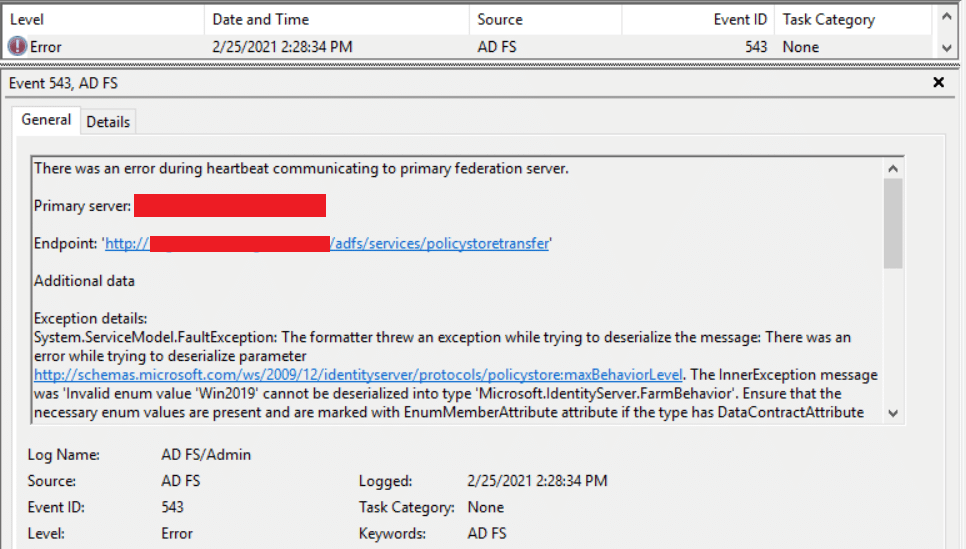
Additional data
Exception details:
System.ServiceModel.FaultException: The formatter threw an exception while trying to deserialize the message: There was an error while trying to deserialize parameter http://schemas.microsoft.com/ws/2009/12/identityserver/protocols/policystore:maxBehaviorLevel. The InnerException message was ‘Invalid enum value ‘Win2019’ cannot be deserialized into type ‘Microsoft.IdentityServer.FarmBehavior’. Ensure that the necessary enum values are present and are marked with EnumMemberAttribute attribute if the type has DataContractAttribute attribute.’. Please see InnerException for more details.
Explanation:
When the new federation server 2019 is added to the new farm, it will communicate with the farm providing the Max farm behavior value (Win2019) it is able to work with (Microsoft.IdentityServer.FarmBehavior), and this value is not recognized by current farm as the federation servers are still running on version 2016. To avoid receiving this message, follow the action plan below:
Move the Primary federation server role to server on 2019 version
Move the primary AD FS server role to the federation server with the latest version running commands below:
Set-AdfsSyncProperties -Role PrimaryComputer
Get-AdfsSyncProperties
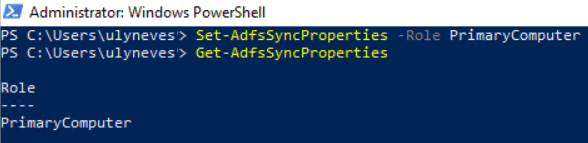
Run command below on the previous primary federation server with older version, that is federation server on version 2016.
Set-AdfsSyncProperties -Role SecondaryComputer -PrimaryComputerName "AD FS primary FQDN (version 2019)"

Now that the most recent federation server has the primary role in the farm, events 543 should disappear in the event viewer.
Summary
In this article, we covered how to eliminate event 543: There was an error while trying to deserialize parameter http://schemas.microsoft.com/ws/2009/12/identityserver/protocols/policystore:maxBehaviorLevel. The InnerException message was ‘Invalid enum value ‘Win2019’ cannot be deserialized into type ‘Microsoft.IdentityServer.FarmBehavior’.
I hope you have enjoyed reading this article, and it helps you to manage your AD FS environment.
Enjoyed the article? Like and share. 🙂
In case you have any suggestion or feedback, please leave a comment.
[ ]’s
Ulysses Neves
