
Hi everyone. Today, we’re going to investigate the error message ‘Your credentials could not be verified’ when a user is trying to authenticate using a PIN to authenticate on a Hybrid WHfB (Key Trust) deployment.
ISSUE
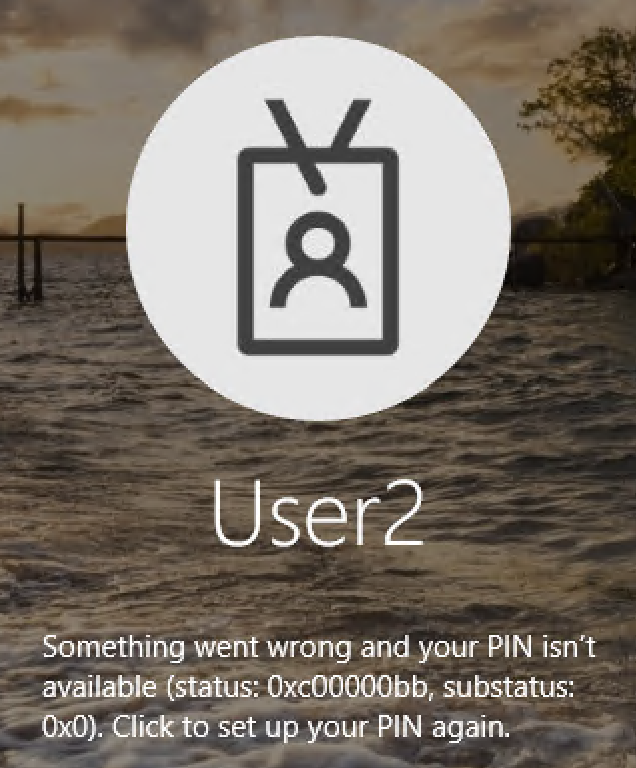
Users might face the error message below when trying to authenticate using PIN:

Additional error messages below might be found after selecting OK to the message above.
INVESTIGATING THE ISSUE
Starting the investigation on the error message ‘Something went wrong, and your PIN isn’t available (status: 0xc00000bb, substatus: 0x0. Click to set up your PIN again.’, we find more details on the error code ‘0xc00000bb’ as ‘STATUS_NOT_SUPPORTED’ and error description ‘The request is not supported’
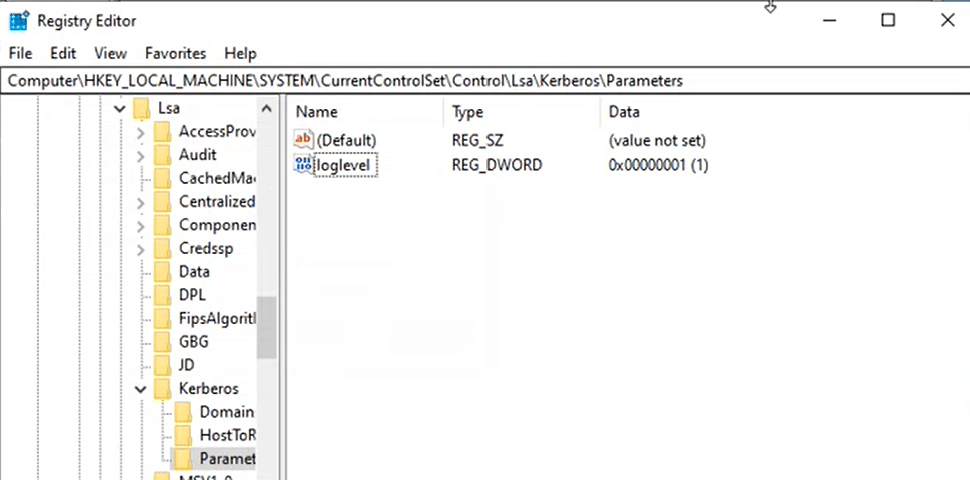
To get more information about the Kerberos request used to authenticate the user on the client machine, let’s enable the Kerberos logs using the command below:
Set-ItemProperty -Path "HKLM:\SYSTEM\CurrentControlSet\Control\Lsa\Kerberos\Parameters" -Name "loglevel" -Value 1
In the Registry editor, we confirm the key is created successfully:
Now, with Kerberos logs enabled, we tried to sign in using PIN again and found more information on the error message as below:
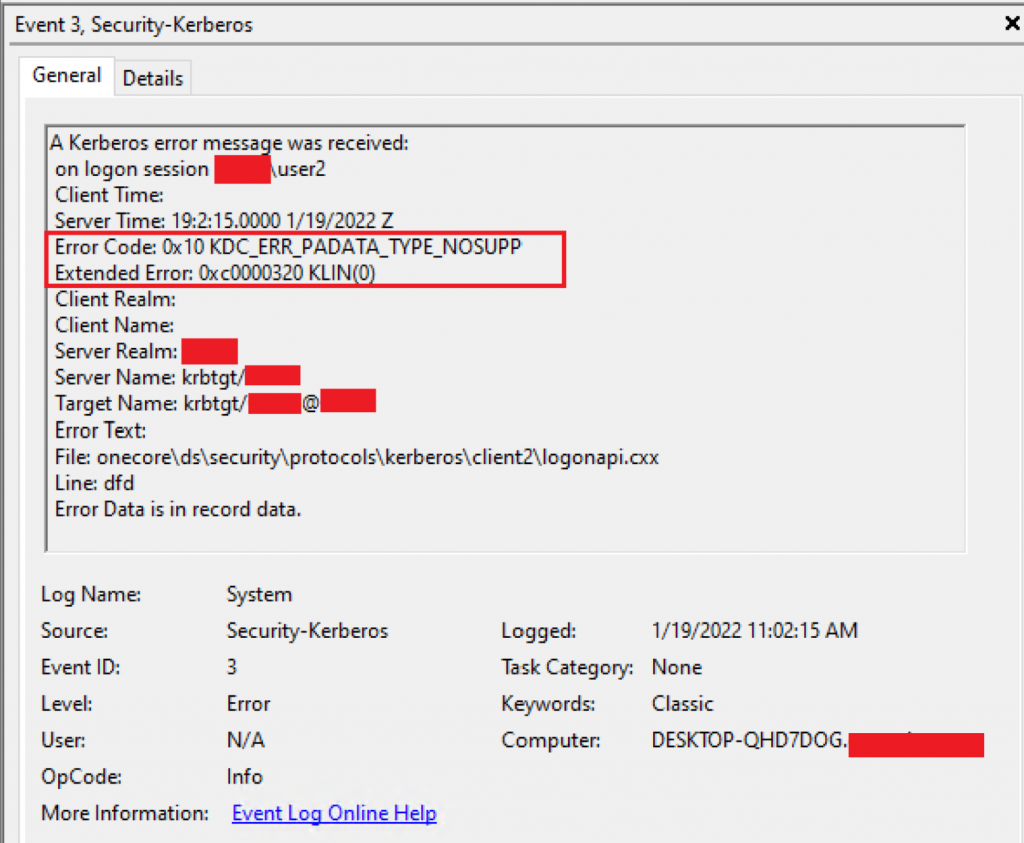
Searching for event code ‘0xc0000320’, we find the detailed message: ‘The Kerberos protocol encountered an error while validating the KDC certificate during logon. There is more information in the system event log.’
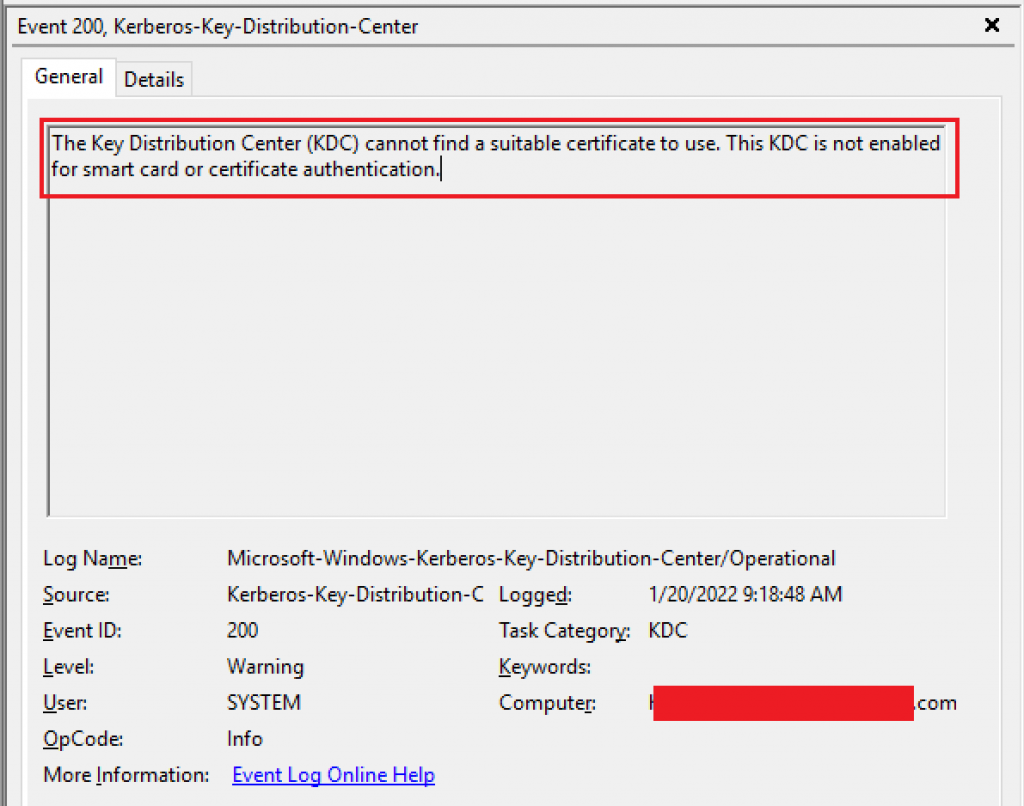
Checking the ‘Microsoft-Windows-Kerberos-Key-Distribution-Center/Operational’ event logs on the KDC server, we find the message ‘The Key Distribution Center (KDC) cannot find a suitable certificate to use. This KDC is not enabled for smart card or certificate authentication.’
REASON/FIX
As per WHfB public documentation, the Windows Hello for Business deployment depends on an enterprise public key infrastructure acting as a trust anchor for authentication.
Checking one of the Domain controller’s certificate stores, we are not able to find a certificate for Kerberos Authentication. This certificate is required to have the domain-joined device trust the KDC. As part of the WHfB process, the GPO for Automatic Certificate enrollment ensures domain controllers (new and existing) automatically request and renew the correct domain controller certificate. For more information about how to configure Certificate Superseding for the Domain Controller Authentication (Kerberos) Certificate Template, check this Microsoft’s official guide.

After fixing the GPO responsible for the auto-enrollment on the KDC Authentication certificate, we confirm the KDC Authentication certificate is available in the Domain Controller’s certificate store as below:

With the KDC certificate available, the user is now able to authenticate using PIN.
Returning to KDC logs, we confirm the KDC is now able to deliver the KDC certificate:

Summary
In this article, we covered how to investigate and fix the error message ‘Your credentials could not be verified on a Hybrid WHfB (Key Trust) deployment.
I hope you have enjoyed reading this article, and it helps you manage your WHfB environment.
Enjoyed the article? Like and share. 🙂
Note: I do not represent the organization I work for, all the opinions expressed here, are my own. This post is provided AS IS with no warranties or guarantees and confers no rights.
In case you have any suggestions or feedback, please leave a comment.
[ ]’s
Ulysses Neves

Thanks for the information. can you able to share similar error for cloud trust users.
Hello Gopi. Thanks for the feedback. It depends on the error message you receive. If it’s a new WHfB with Cloud Kerberos Trust implementation, I would recommend checking if the requirements are properly configured as referred by the MS public documentation https://learn.microsoft.com/en-us/windows/security/identity-protection/hello-for-business/hello-deployment-guide#deployment-and-trust-models.
If all requirements are in place and users are not able to enroll/authenticate using PIN, recommend checking if the error message matches with one of our public docs https://learn.microsoft.com/en-us/windows/security/identity-protection/hello-for-business/hello-deployment-issues.
I hope it helps you further investigate your issue.