Hi mates. Today, I will cover how to identify and fix the error message 0xCAA20064 during Windows Hello sign-in certificate enrollment.
Scenario: During Hybrid and OnPrem Windows Hello deployments using certificate trust, AD FS is used as a registration authority to request a certificate against the CA on behalf of the user. If there is a missing requirement or broken communication between the Client » AD FS » CA, you might face an error message in the Event Viewer » Microsoft/Windows-HelloForBusiness/Operational as below:
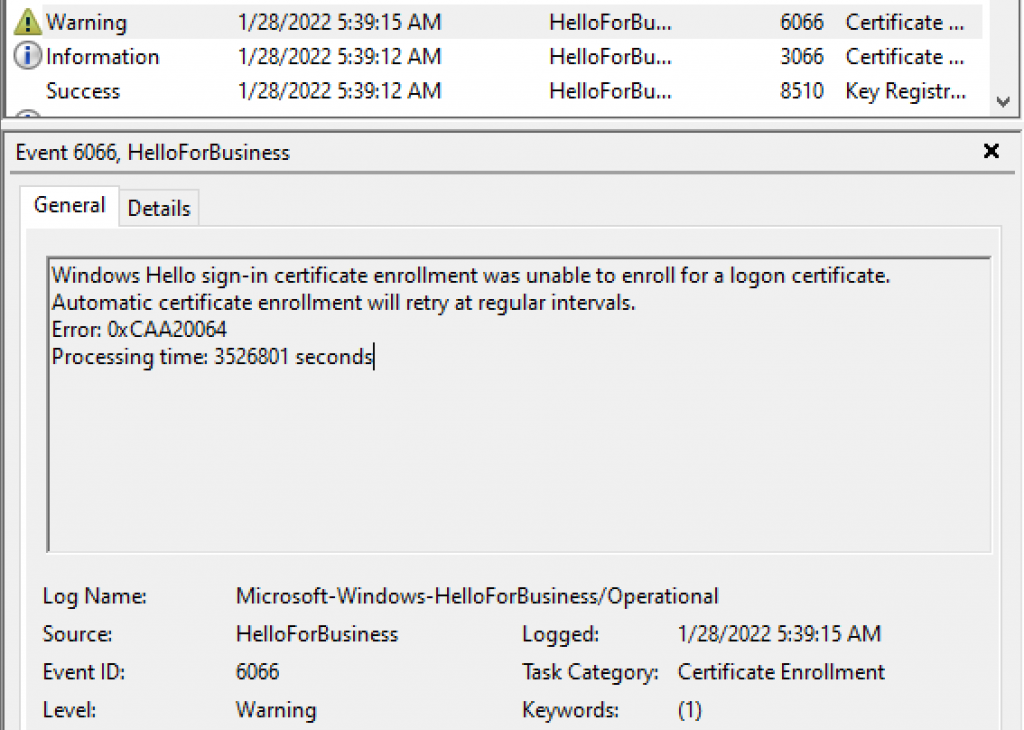
During WHfB enrollment, to get more information on the error message above, you can enable AD FS Tracing logs.
On AD FS Tracing logs, you might see error message below looking on event ID 1021:
Microsoft.IdentityServer.Web.Protocols.OAuth.Exceptions.OAuthLogonCertCreationException: MSIS9400: Unable to create the certificate. Error: System.Runtime.InteropServices.COMException (0x800706BA): CertEnroll::CX509Enrollment::Enroll: The certificate request could not be submitted to the certification authority. A certificate could not be issued by the certification authority.: The RPC server is unavailable. 0x800706ba (WIN32: 1722 RPC_S_SERVER_UNAVAILABLE) at Microsoft.CertificateServices.Certenroll.Interop.CX509EnrollmentClass.Enroll() at Microsoft.IdentityServer.WebHost.Configuration.CertificateAuthorityUtility.BuildUserCertificateWithExternalCA(IX509CertificateRequestPkcs10 incomingRequest, String upn, String distinguishedName, String windowsAccountName, String logonTemplateName, X509Certificate2 enrollmentCertificate, Boolean machineContext, X509Certificate2& issuedCert)
You might also see event below:
EXIT: ConvertPKCS10EncodedStringToObject
Obtained enroll certificate private key successfully. enrollCertKey: CNGKey
ENTER: BuildUserCertificateWithExternalCA
EXIT: BuildUserCertificateWithExternalCA
Error happened while generating the enrollment Certificate
EXIT: BuildUserLogonCertificate
Detailed error message:
An OAuth Win Hello Cert could not be issued: to client ‘dd762716-544d-4aeb-a526-687b73838a22’ for resource ‘urn:microsoft:winhello:cert:prov:server’. The client IP is ‘10.0.0.XX’ . The user is ‘user1@contoso.com’ .The Exception encountered: ‘Microsoft.IdentityServer.Web.Protocols.OAuth.Exceptions.OAuthLogonCertCreationException: MSIS9400: Unable to create the certificate. Error: System.Runtime.InteropServices.COMException (0x800706BA): CertEnroll::CX509Enrollment::Enroll:
REASON/ISSUE
To investigate this issue, you should start checking the connectivity between AD FS and Root CA to guarantee AD FS is able to request a certificate on behalf of the user.
To have a proper certificate request, make sure the required ports for Active Directory Certificate Services are properly configured using this Microsoft official public document.
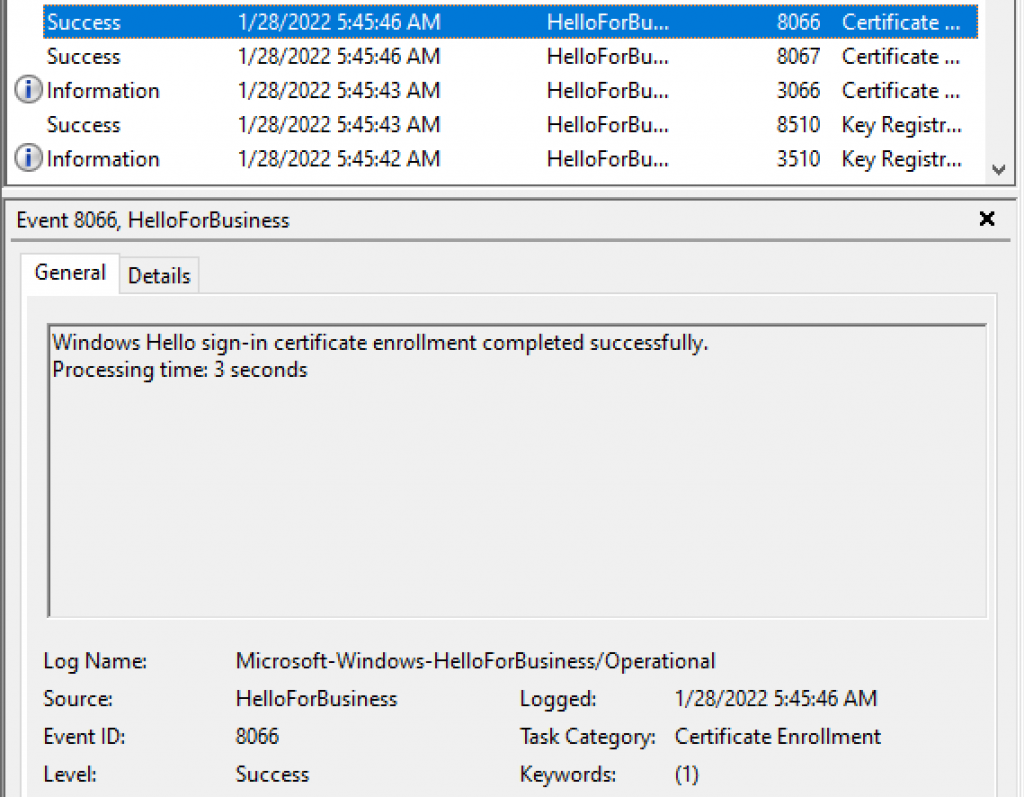
On success WHfB deployments, event ID 8066 can be observed in the client and one authentication certificate issued by a CA can be found in the user’s my store as below:
Checking the user’s certificate store, we can identify two certificates, one self-signed and one generated by the CA for Client Authentication.

On a Windows Hello for Business Certificate Trust deployment, the certificate used to authenticate the user will be the certificate generated by the trusted Certification Authority.
Summary
In this article, we covered how to identify and fix the error message 0xCAA20064 during Windows Hello sign-in certificate enrollment.
I hope you have enjoyed reading this article, and it helps you manage your Windows Hello for Business environment.
Enjoyed the article? Like and share. 🙂
Note: I do not represent the organization I work for, all the opinions expressed here, are my own. This post is provided AS IS with no warranties or guarantees and confers no rights.
In case you have any suggestions or feedback, please leave a comment.
[ ]’s
Ulysses Neves
