
Hello guys. Today I will cover one error message ‘ProxyTrustUserName listener error’ you might come across when configuring a new Web Application Server on the AD FS farm.
During the first WAP trust configuration, the WAP uses the SPN to acquire a kerberos token. If you don’t have the proper SPN configuration, you might face error message below on the WAP server:
Install-WebApplicationProxy : An error occurred when attempting to establish a trust relationship with the federation service. Error: Internal Server Error
At line:1 char:1
- Install-WebApplicationProxy -FederationServiceName “fs.contoso…
~~~~~~~~~~~~~~~~~- CategoryInfo : NotSpecified: (:) [Install-WebApplicationProxy], ProxyTrustException
- FullyQualifiedErrorId : DeploymentTask,Microsoft.IdentityServer.Management.Proxy.Commands.InstallProxyCommand

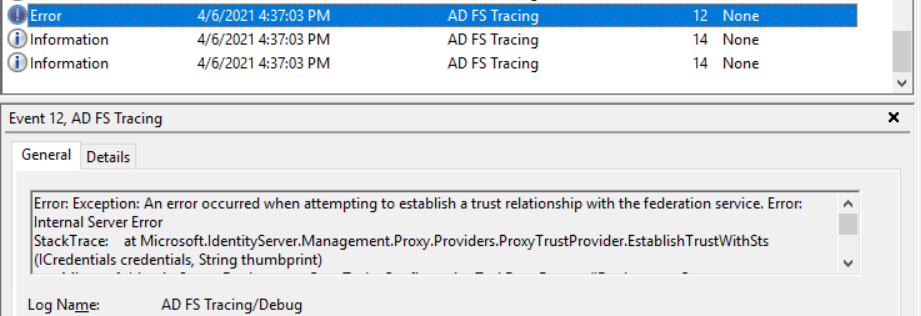
On WAP Event logs, we see message below:
Error: Exception: An error occurred when attempting to establish a trust relationship with the federation service. Error: Internal Server Error
StackTrace: at Microsoft.IdentityServer.Management.Proxy.Providers.ProxyTrustProvider.EstablishTrustWithSts(ICredentials credentials, String thumbprint)
at Microsoft.IdentityServer.Deployment.Core.Tasks.ConfigurationTaskBase.Execute(IDeploymentContext context, IProgressReporter progressReporter)
Exception: The remote server returned an error: (500) Internal Server Error.
StackTrace: at System.Net.HttpWebRequest.GetResponse()
at Microsoft.IdentityServer.Management.Proxy.Providers.ProxyTrustProvider.EstablishTrustWithSts(ICredentials credentials, String thumbprint)
Result: Status – Error, Message – An error occurred while attempting to establish a trust relationship with the Federation Server. An error occurred when attempting to establish a trust relationship with the federation service. Error: Internal Server Error, Context – DeploymentTask
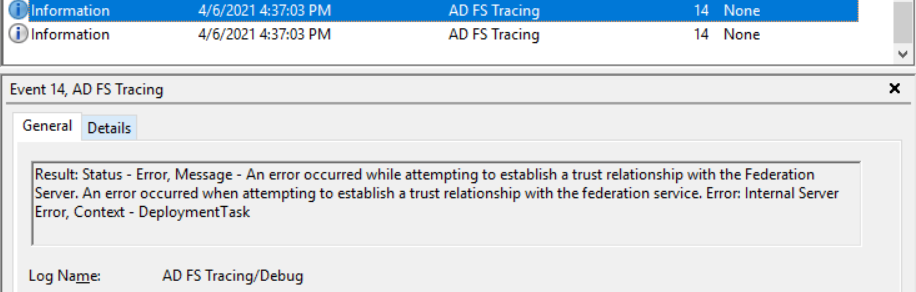
You might also see error messages below on AD FS Tracing/Debug logs:
Running configuration tasks for Microsoft.IdentityServer.Management.Proxy.Commands.InstallProxyCommand failed.
Undoing impersonation for Domain\Admin_user
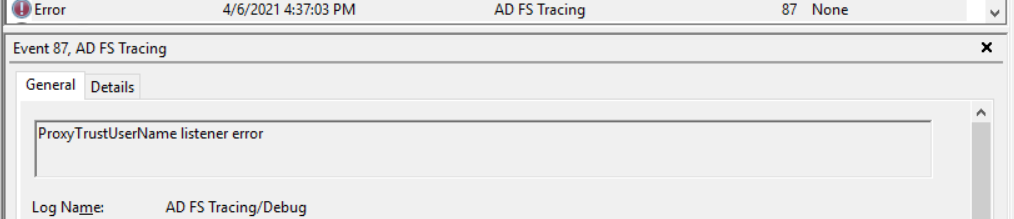
ProxyTrustUserName listener error
Identifying if SPN is configured
To check if the error message above is related to the missing SPN, let’s run commands below:
setspn -q host/fs.contoso.com
setspn -q http/fs.contoso.com
Note: Use the federation name of your AD FS server instead of fs.contoso.com.

In case you have no SPN configured for the federation service name, run the command below to configure it:
setspn -a host/fs.contoso.com gsma2$
Note: Change the federation service name and the AD FS service account according to your environment.

Configure the WAP trust
With the correct SPN configured, run the command below on the WAP server to establish the trust with the AD FS server:
Install-WebApplicationProxy -FederationServiceName "fs.contoso.com" -CertificateThumbprint EC73A6E83751E03FE111B7592D035B0966F

Summary
In this article, we covered how to troubleshoot error message ‘ProxyTrustUserName listener error’ during WAP trust process.
I hope you have enjoyed reading this article, and it helps you to manage your AD FS environment.
Enjoyed the article? Like and share. 🙂
Note: I do not represent the organization I work for, all the opinions expressed here, are my own. This post is provided AS IS with no warranties or guarantees and confers no rights.
In case you have any suggestion or feedback, please leave a comment.
[ ]’s
Ulysses Neves
