Deprecation notice — September 2026: This article documents a historical deployment that uses the on-premises Azure Multi-Factor Authentication Server adapter. MFA Server is deprecated and is not available for new deployments. Do not use this MFA Server procedure for a new implementation. For current AD FS deployments, use the built-in Microsoft Entra multifactor authentication adapter and review Microsoft’s migration guidance.
Source: Migrate from MFA Server to Microsoft Entra multifactor authentication: “Azure Multi-Factor Authentication Server (MFA Server) isn’t available for new deployments and is deprecated.”
Current AD FS guidance: Configure AD FS and Microsoft Entra multifactor authentication: “The AD FS 2016 Microsoft Entra multifactor authentication adapter integrates directly with Microsoft Entra ID and doesn’t require an on premises Azure Multifactor Authentication Server.”
Hi mates. Today we’re going to share how to enable additional authentication method to be used as primary authentication on AD FS. On this article, we’ll setup Azure Multi-Factor Authentication Server adapter, but these steps can be applied to Azure MFA adapter or any third-party additional authentication method supported by AD FS. To check the full list of supported adapters, please check this link.
If you plan to use Azure MFA with AD FS, but currently don’t have the service configured, check this official documentation to have it configured: Configure AD FS 2016 and Azure MFA | Microsoft Docs
Enabling the MFA Server as the primary authentication method
In case you have MFA Server environment setup, I will consider one already deployed MFA Server connector setup. As mentioned previously, Azure MFA can be used as well.
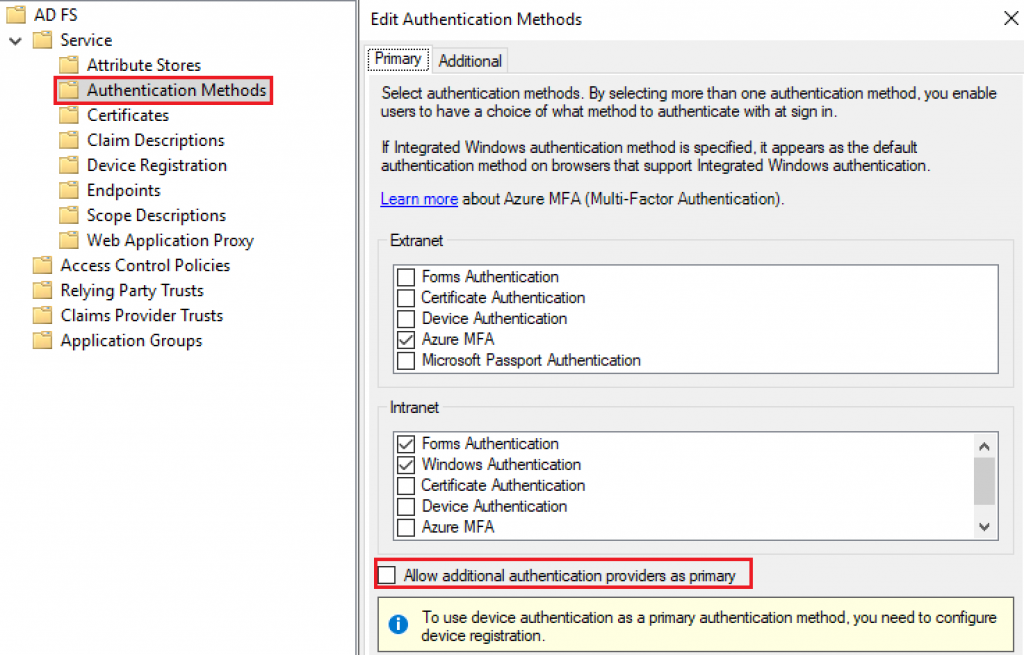
Open AD FS console on your AD FS server version 2019, expand Service » Authentication Methods » Select option: Allow additional authentication providers as primary
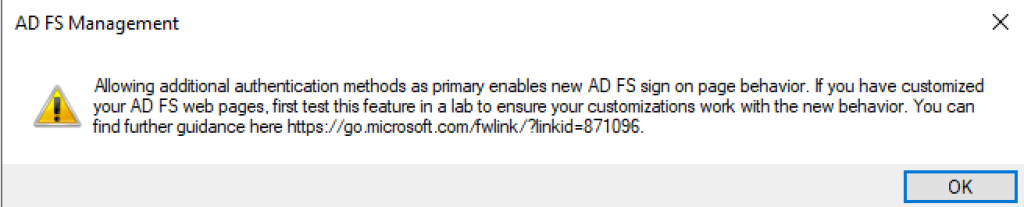
You will receive a warning message regarding AD FS custom pages as below:
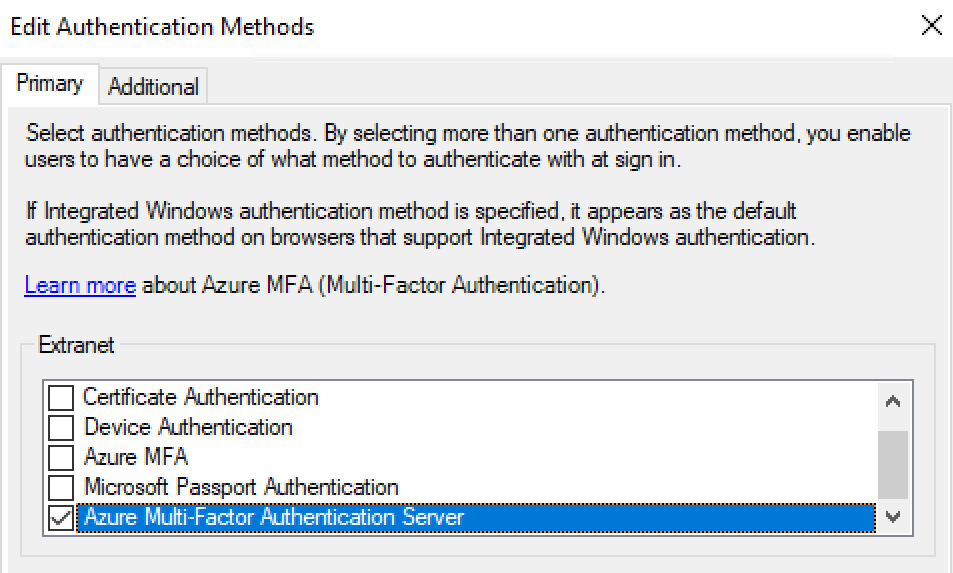
With the option enabled, now we can select Azure Multi-Factor Authentication Server, previously additional authentication method only, now on the Primary authentication tab:
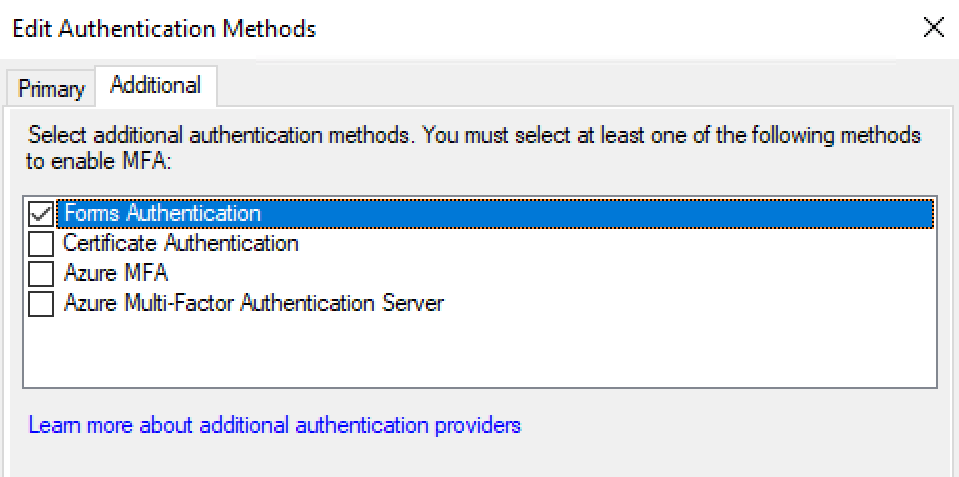
As our goal is to setup multi-factor authentication, on Additional Tab, we’ll use Forms Authentication to have users provide username and password as a second-factor authentication when the user has already authenticated using MFA Server as primary auth:
As recommended on AD FS 2019 version, you need to change the anchor type on the Active Directory Claims Provider Trust from windowsaccountname to UPN as properly documented on this official document: https://learn.microsoft.com/en-us/windows-server/identity/ad-fs/operations/configure-ad-fs-and-azure-mfa#azure-mfa-as-primary-authentication
Using PowerShell, run the command below:
Set-AdfsClaimsProviderTrust -AnchorClaimType "http://schemas.xmlsoap.org/ws/2005/05/identity/claims/upn" -TargetName "Active Directory"

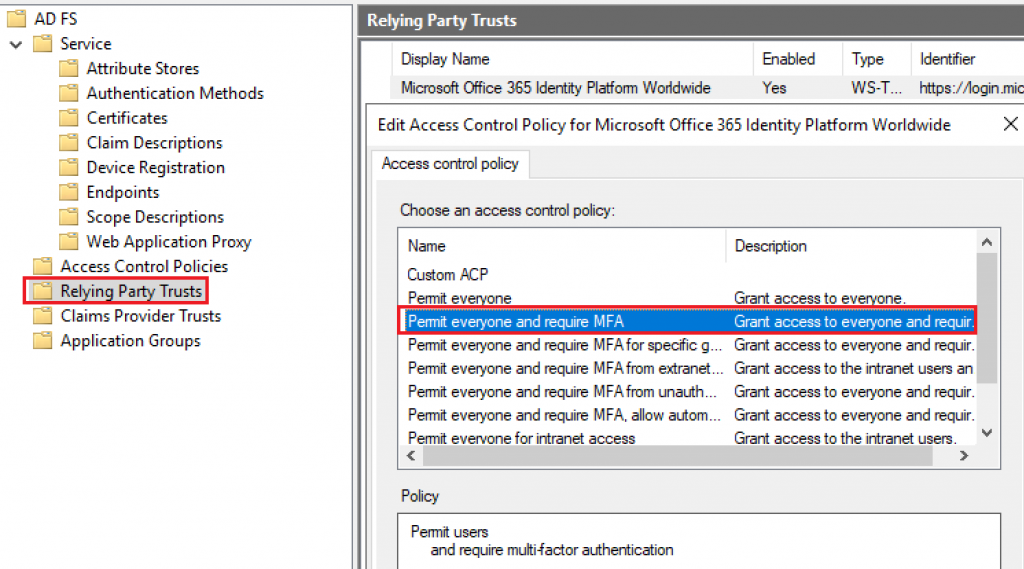
To have Multi-factor required, configure the Access Control Policy on AD FS with setting Permit everyone and require MFA as below:
User experience
With the policy properly configured, let’s have our user accessing portal.azure.com which belongs to Office 365 Relying Party Trust configured above.
First authentication prompt: MFA Server with Phone SMS method
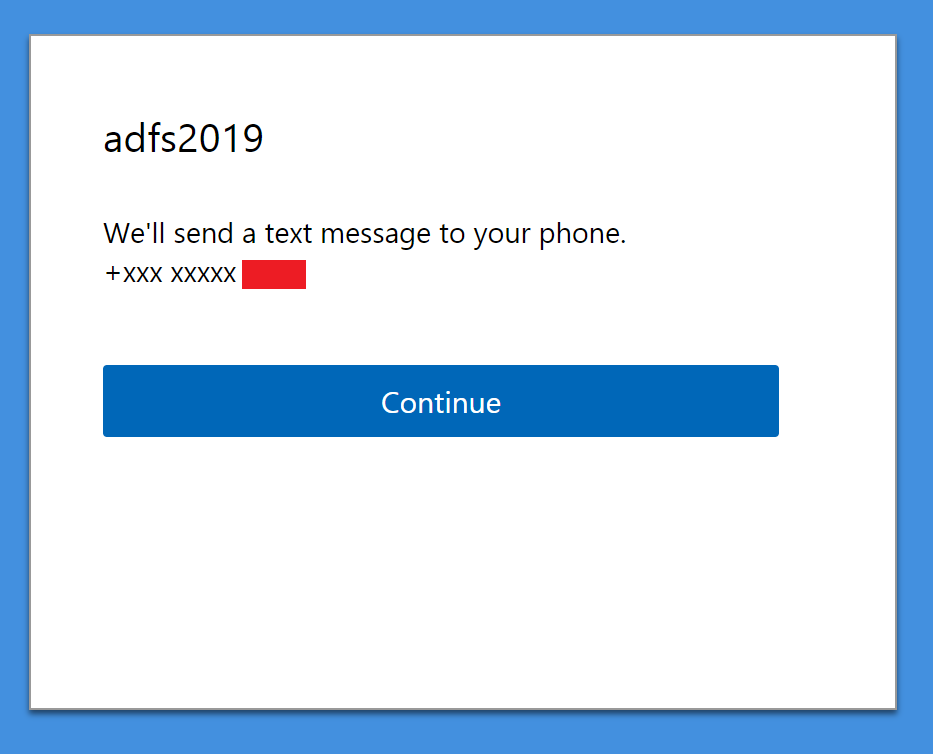
On AD FS Tracing logs, checking event ID 155, we get more information on the Primary authentication:
Primary stage authDomain: AuthenticationMethods:
http://schemas.microsoft.com/ws/2012/12/authmethod/phoneconfirmation
http://schemas.microsoft.com/ws/2012/12/authmethod/voicebiometric
http://schemas.microsoft.com/ws/2012/12/authmethod/smsreply
http://schemas.microsoft.com/ws/2012/12/authmethod/phoneappnotification
http://schemas.microsoft.com/ws/2012/12/authmethod/smsotp
http://schemas.microsoft.com/ws/2012/12/authmethod/otp
http://schemas.microsoft.com/ws/2012/12/authmethod/kba
ProviderAuthInfoList: AzureMfaServerAuthentication
UseProviderAuthInfoList: True
Second authentication prompt: Forms-based authentication with username and password
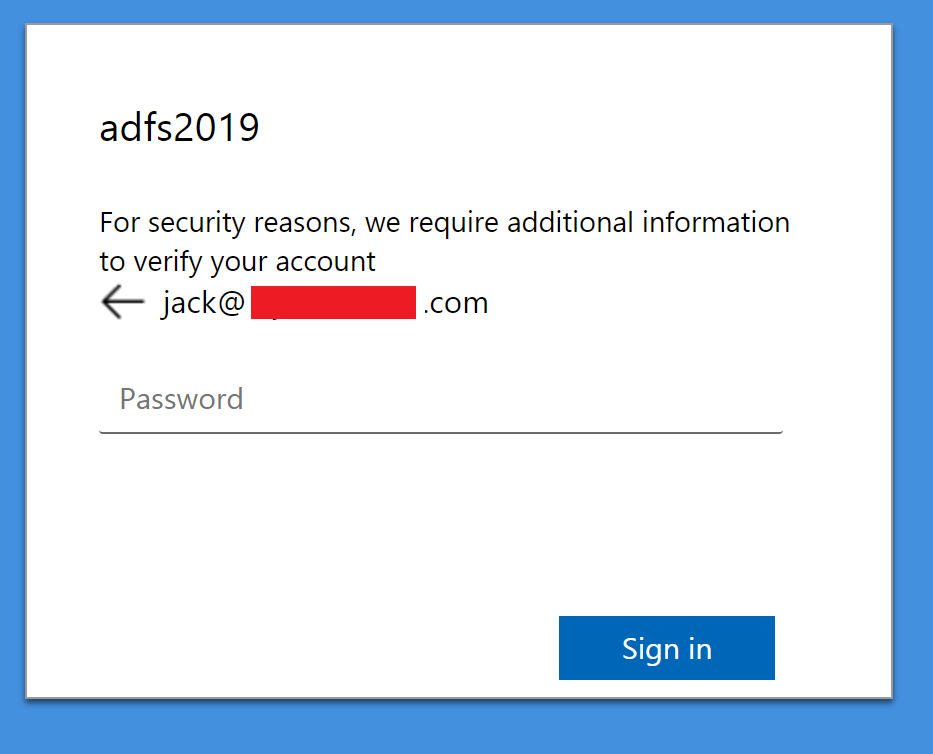
On AD FS Tracing logs, we see on same event ID 155 Secondary authentication:
Second stage authDomain: AuthenticationMethods:
urn:oasis:names:tc:SAML:1.0:am:password
urn:oasis:names:tc:SAML:2.0:ac:classes:Password
urn:oasis:names:tc:SAML:2.0:ac:classes:PasswordProtectedTransport
http://schemas.microsoft.com/ws/2008/06/identity/authenticationmethod/password
ProviderAuthInfoList: FormsAuthentication
UseProviderAuthInfoList: True
Summary
In this article, we covered how to enable adapter ‘Azure Multi-Factor Authentication Server’ as the primary authentication method on AD FS.
I hope you have enjoyed reading this article and it helps you manage your AD FS environment.
Enjoyed the article? Like and share. 🙂
Note: I do not represent the organization I work for, all the opinions expressed here, are my own. This post is provided AS IS with no warranties or guarantees and confers no rights.
In case you have any suggestion or feedback, please leave a comment.
[ ]’s
Ulysses Neves
