
Hi mates. Today, I will share with you an expected scenario when we enabled/disable endpoints on AD FS and these endpoints are not updated on Web Application Proxy servers.
As properly documented by Microsoft, to secure AD FS farm, it’s required to disable some endpoints on Web Application server, such as WS-Trust Windows endpoints below: (/adfs/services/trust/2005/windowstransport and /adfs/services/trust/13/windowstransport).
Let’s take these endpoints as an example and use the commands below to confirm if the endpoints above are enabled in the proxy servers:
Get-AdfsEndpoint -AddressPath '/adfs/services/trust/2005/windowstransport' | select proxy
Get-AdfsEndpoint -AddressPath '/adfs/services/trust/13/windowstransport' | select proxy
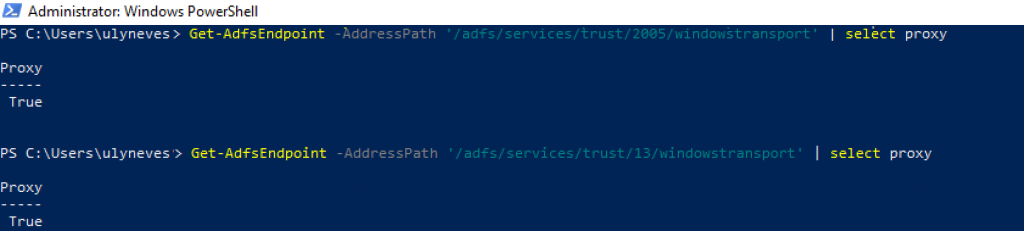
Once confirmed, let’s run the commands below to disable them on the proxy. You might get the message ‘WARNING: PS0038: This action requires a restart of the AD FS Windows Service. If you have deployed a federation server farm, restart the service on every server in the farm.‘ as the output to the commands below:
Set-AdfsEndpoint -TargetAddressPath '/adfs/services/trust/2005/windowstransport' -Proxy $false
Set-AdfsEndpoint -TargetAddressPath '/adfs/services/trust/13/windowstransport' -Proxy $false

Following the recommendation on the message above, the next step is to restart the AD FS service on all AD FS and WAP servers belonging to the farm. Once you restart the AD FS service on all nodes, if you have your AD FS Farm using WID (Windows Internal Database), you can have the WAP server retrieve the AD FS information on the Secondary node and if this node has not synchronized to the primary node yet, the information loaded on Web Application Proxy servers will not reflect the recent changes on the primary node, and you might see the endpoints not updated as below:
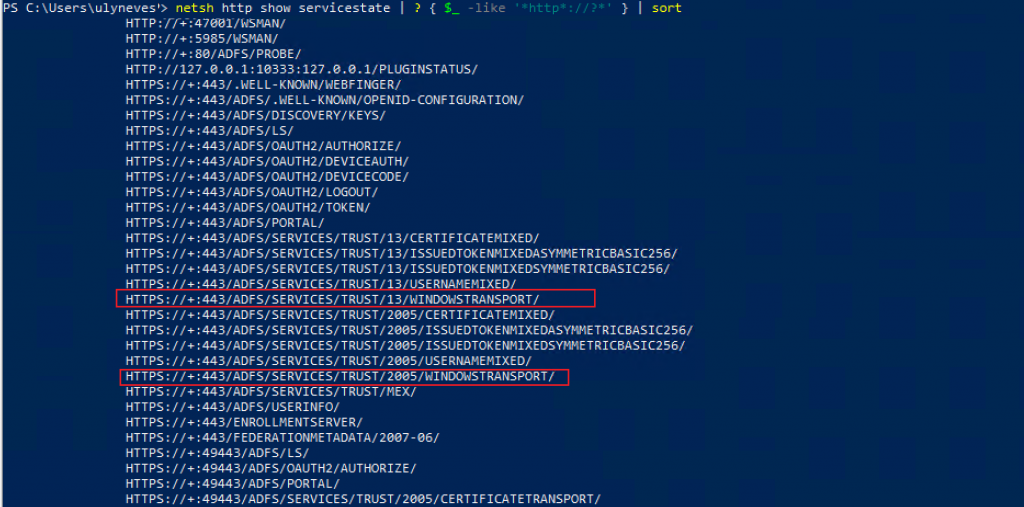
Cause: The behavior above is expected on when WID database is used by AD FS because Secondary AD FS nodes SYNC with the primary AD FS servers by default every 5 minutes. If you update the endpoints on the primary AD FS server and restart immediately the AD FS service on the secondary and WAP servers, the second node will keep its old endpoint’s information and all WAP servers that retrieve the database information on those nodes will not have the updated information regarding the endpoints.
Fix: In case you face the scenario above, one additional step should be followed on this scenario is between the AD FS service restart on the Primary and Secondary AD FS servers, wait for the SYNC to finish so, when the service is restarted on Secondary nodes, the endpoints will be updated with the information retrieved from the primary AD FS server on the latest SYNC. To monitor the SYNC status, on the Secondary nodes, use the PowerShell command below:
Get-AdfsSyncProperties
Once the SYNC is finished, you can restart the AD FS service on the secondary AD FS and WAP servers.
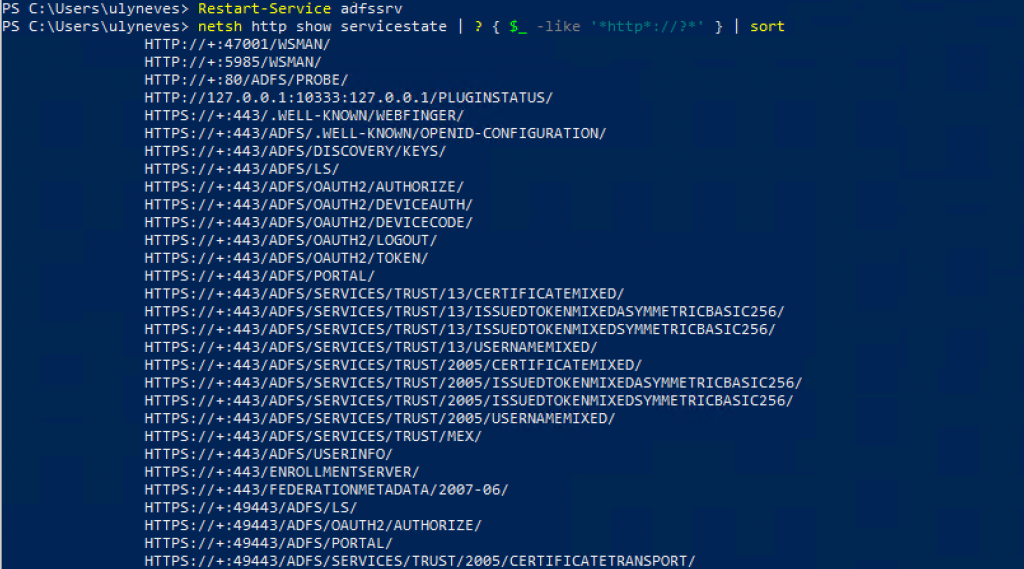
To confirm if the endpoint change are reflecting on WAP servers, run command below:
netsh http show servicestate | ? { $_ -like 'http://?*' } | sort
Summary
In this article, we covered a normal behavior when scenario when we enabled/disable endpoints on AD FS and these endpoints are not updated on Web Application Proxy servers.
I hope you have enjoyed reading this article and it helps you manage your AD FS environment.
Enjoyed the article? Like and share. 🙂
Note: I do not represent the organization I work for, all the opinions expressed here, are my own. This post is provided AS IS with no warranties or guarantees and confers no rights.
In case you have any suggestion or feedback, please leave a comment.
[ ]’s
Ulysses Neves
