
Hello everyone. If you have IPv6 implemented in your organization’s network and use Azure AD security tools such as location-based conditional access policies, you should consider reading this article.
UPDATED: Microsoft announced that starting in late April 2023, IPv6 will start being supported by Azure Active Directory, meaning that, if your client network supports IPv6, the Azure AD service endpoints will start returning both IPv4 and IPv6 addresses. Those IP addresses should be visible in the sign-in logs and evaluated by all conditional access policies that have public IP ranges via named locations.
You can find more information on the below public links:
IPv6 support in Azure Active Directory (Azure AD) – Active Directory | Microsoft Learn
IPv6 Coming to Azure AD – Microsoft Community Hub
I have IPv6 implemented, so, what is the expected impact on my company?
If your company has implemented IPv6 in the network, you have IP ranges configured in Azure AD, and conditional access policies relying on IP ranges, you should take action to avoid unexpected authentication behaviors.
In this article, we’ll simulate ONE of the possible impacts of this IPV6 change in authentication. Let’s consider an Azure AD tenant with the following configurations:
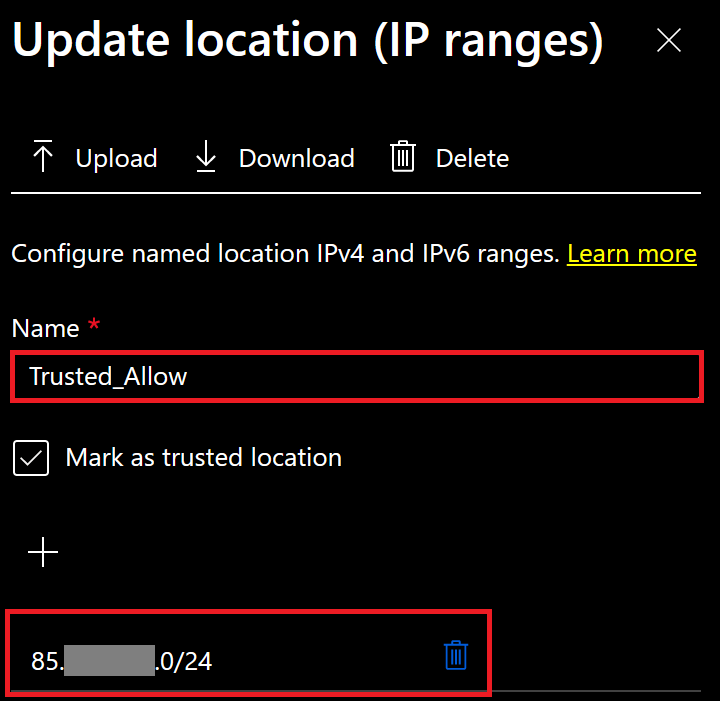
Named location: Trusted_Allow (Safe networks with IPv4 ranges registered)
Configuration:
Conditional Access Policy: Allow-Specific-IP-Ranges
Expected outcome: Block specific users to access applications integrated with Azure AD outside trusted networks.
Configuration:
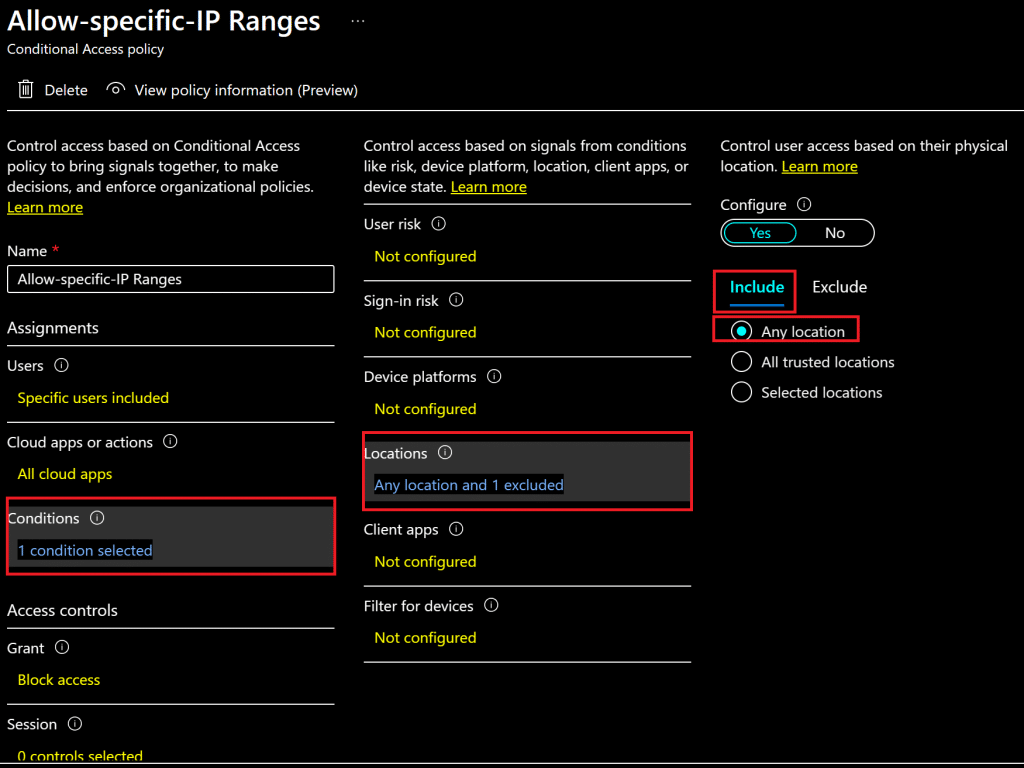
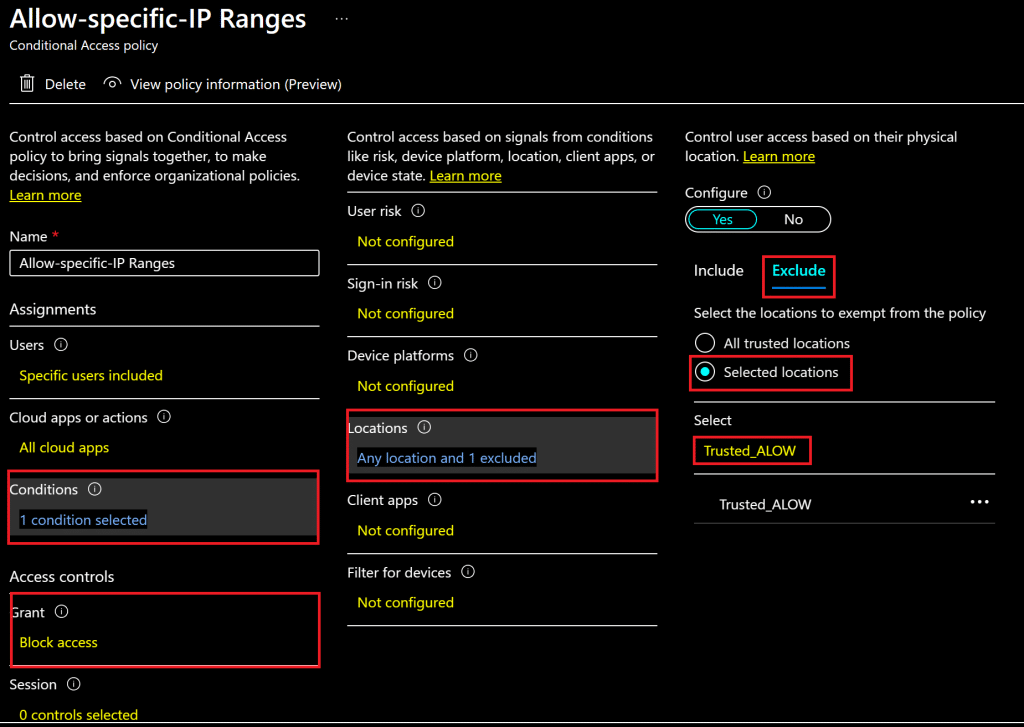
In order to help IT admins prepare for the upcoming changes, Microsoft has published steps to test the impact on the user’s authentication and take proper actions to avoid issues. I will follow these steps provided by Microsoft in this link in my Azure AD-joined Windows device, which is capable of resolving IPv6.
As the public document states: ‘These instructions are for testing purposes only. You must remove the following configurations by May 2023 to ensure that your clients are using production DNS servers. The DNS servers in the following procedures may be decommissioned after May 2023.‘
The first step is to manually update the Name Resolution Policy Table and force your client machine to resolve special DNS servers that are configured to have IPv6 DNS entries for Azure AD sign-in.
As an administrator, run the following commands:
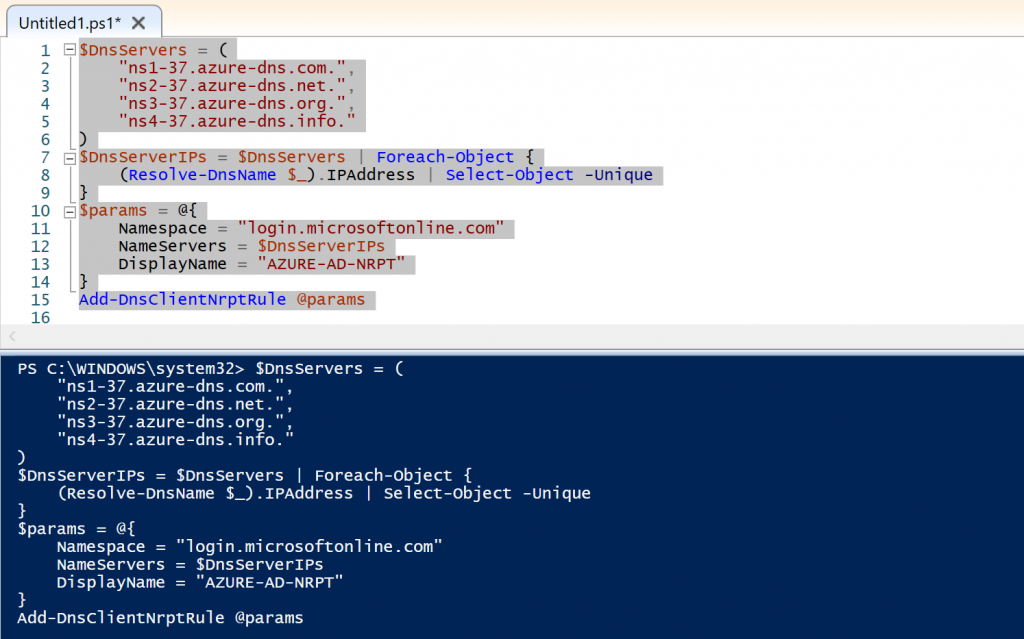
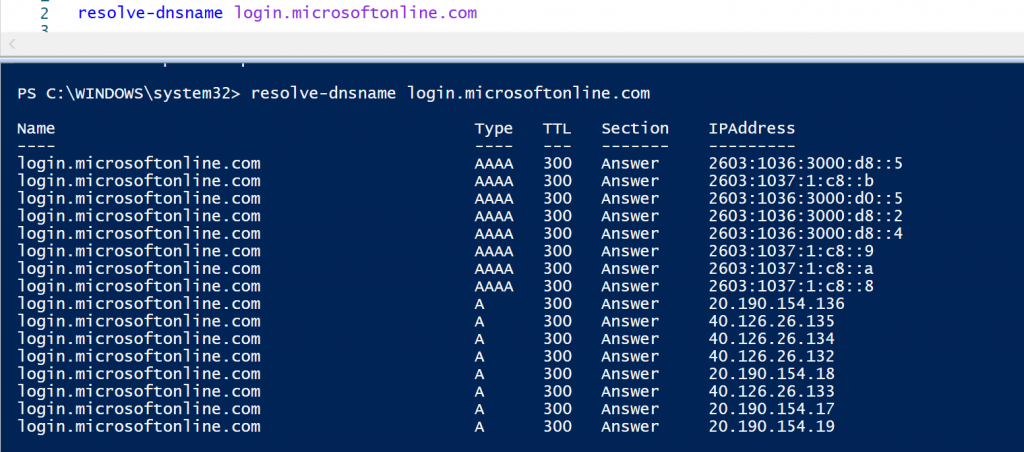
After updating the Name Resolution Table, test the name resolution with the command below:
REPRODUCING THE USER EXPERIENCE
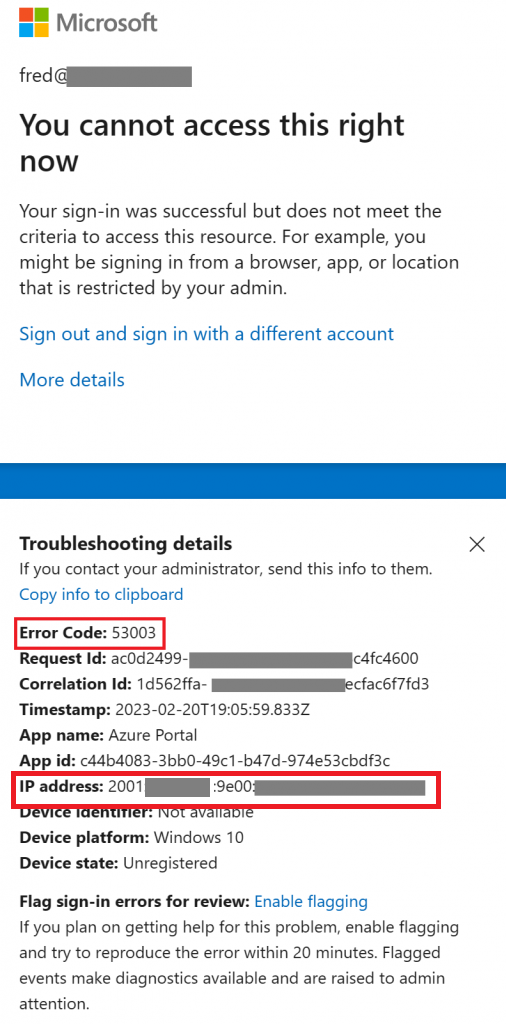
My conditional access policy is configured to trust a specific IPv4 range configured using Named Locations. Once the change is implemented, users covered by this policy will face the error message ‘53003’ as below:
Details: ‘Your sign-in was successful but does not meet the criteria to access this resource. For example, you might be signing in from a browser, app, or location that is restricted by your admin’.
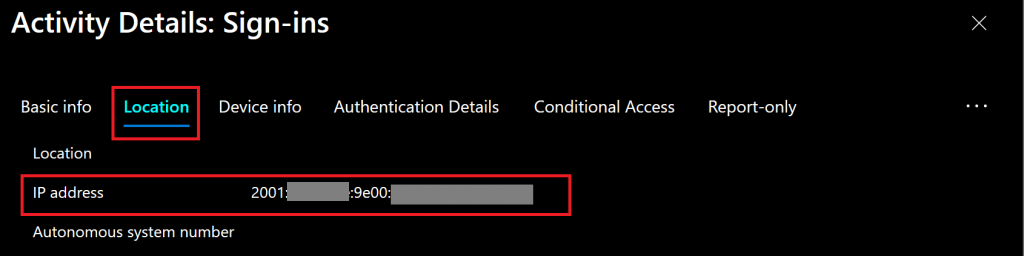
Checking the Azure AD sign-in logs, we find more details by selecting the sign-in event and clicking on the tab ‘Location’. In this tab, we find the IPv6 returned by the Azure AD service endpoint.
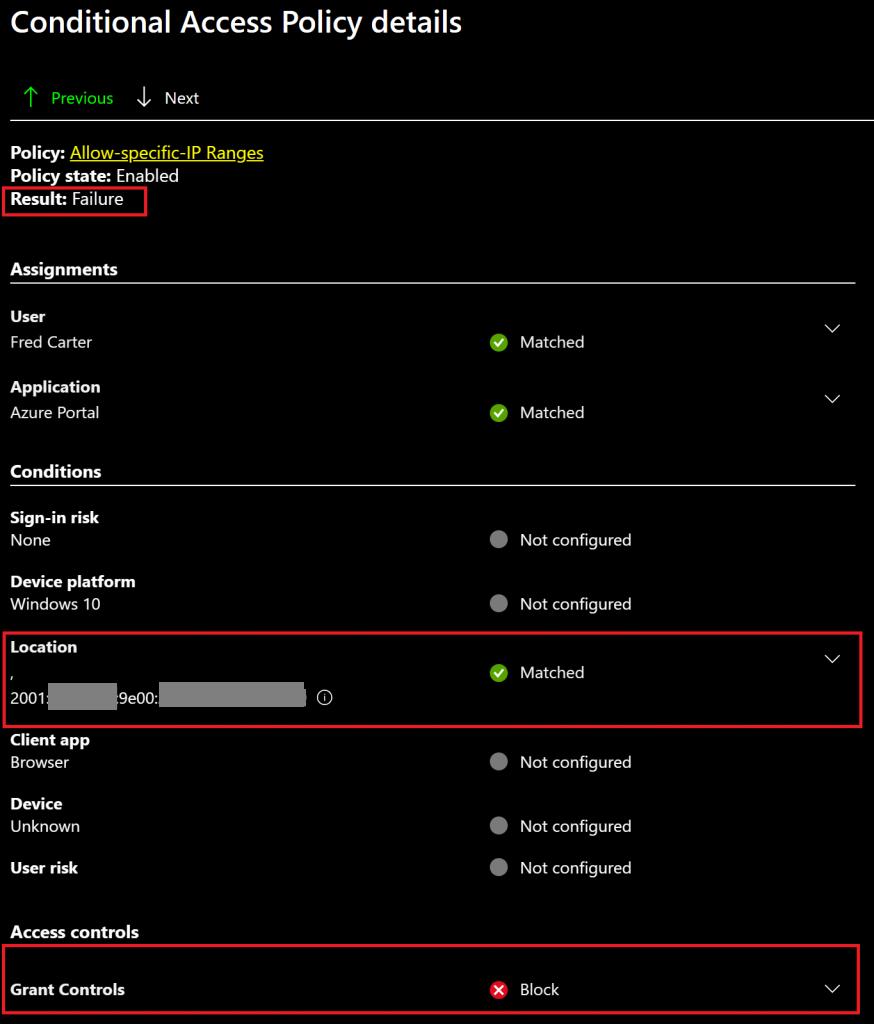
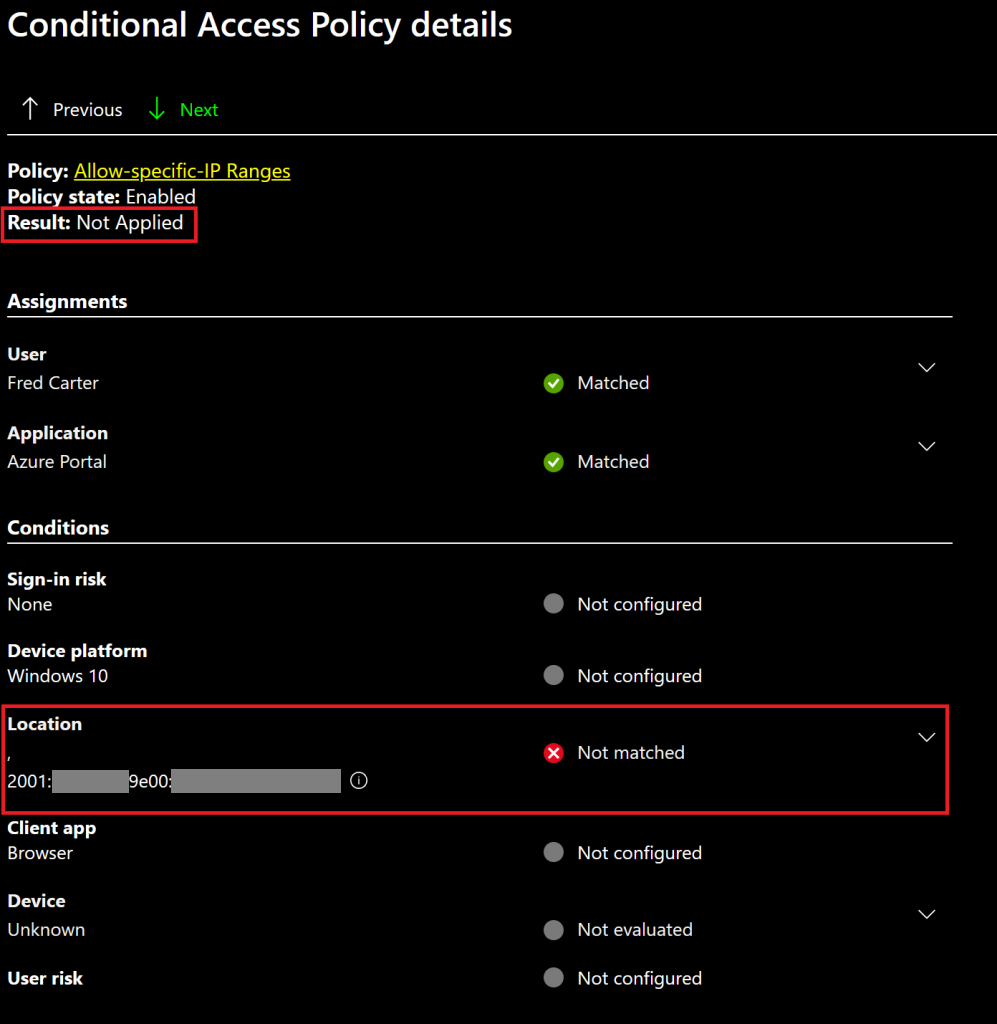
Selecting the tab ‘Conditional Access Policy details’. We find the same IPv6 being evaluated by the conditional access policy. Since the IPv6 IP is currently not registered in the Named Location, the policy result is ‘Block’.
NOTE: Since Named locations are shared between many features, such as Conditional Access, Identity Protection, and B2C, the scenario above is just one of the possible issues that users might face if named locations are not updated with IPv6 ranges in Azure AD.
ACTIONS TO AVOID SUCH ISSUE
For the proposed scenario above, to avoid an issue when the changes take place, IT admins should work with network administrators and internet service providers (ISPs) to identify the public-facing IPv6 addresses in use and update the Named locations accordingly.
In my test environment, I’ve added a public IPv6 IP range that has my device’s IP included.
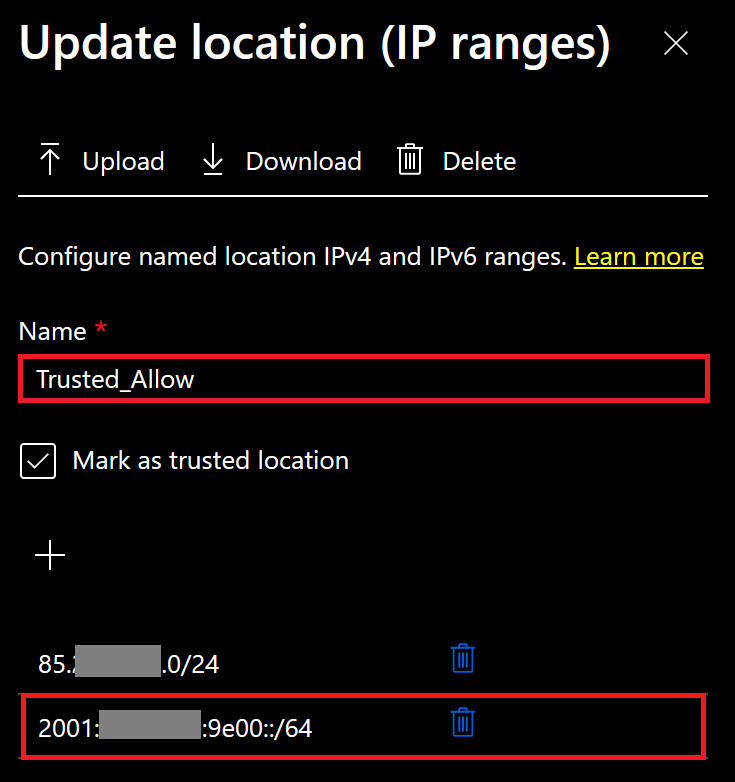
As a result, after the Named location has been updated, my test user regained access to the applications.
Looking at the conditional access policy evaluation details, we confirm the ‘block’ result has not been applied, because the IPv6 is now included in the named location that is configured as an exclusion to the policy. As a result, we see: ‘Not Applied’.
To roll back the client name resolution configuration, we can run the script below provided by Microsoft:
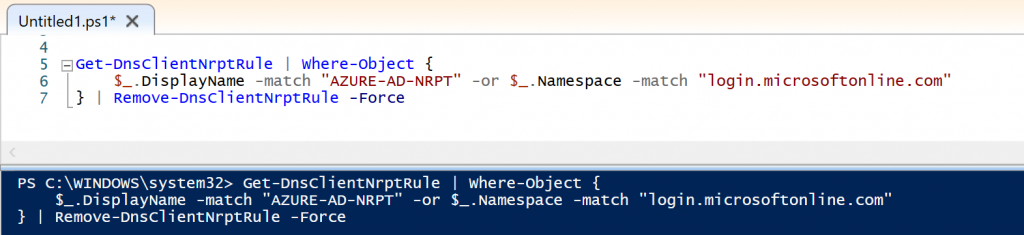
With the configurations rolled back, now, I am able to resolve login.microsoftonline.com to public IPs based on IPv4.
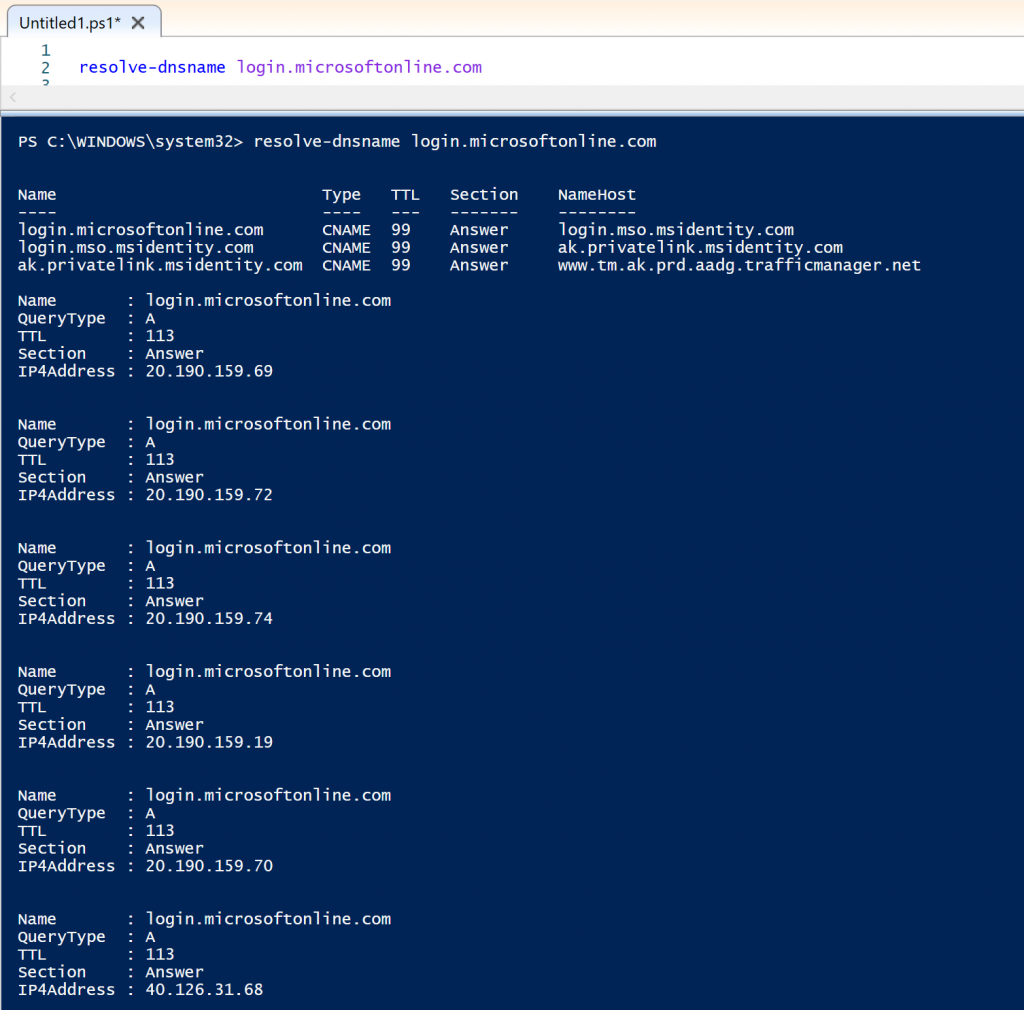
The testing script above can be deployed to a group of machines using Intune using this document: https://learn.microsoft.com/en-us/troubleshoot/azure/active-directory/azure-ad-ipv6-support#deploy-nrpt-rule-with-intune
Additional recommendations have been provided by Microsoft in the links below:
– Azure AD per-user multifactor authentication
– Outbound traffic restrictions
– IPv6 support in Microsoft 365 services
Summary
In this article, we covered how to predict the impact of the Azure AD IPv6 upcoming changes and adapt conditional access policies using location-based criteria to avoid users’ authentication issues.
Enjoyed the article? Like and share. 🙂
Note: I do not represent the organization I work for, all the opinions expressed here, are my own. This post is provided AS IS with no warranties or guarantees and confers no rights.
In case you have any suggestions or feedback, please leave a comment.
[ ]’s
Ulysses Neves
