Hello guys. Today I will share some guidance on troubleshooting and fixing the error message ‘The SSL certificate specified by thumbprint ‘SSL Thumbprint’ does not have a subject name that matches the specified’ during a WAP trust configuration.
Reason: Before establishing the trust, the Web Application Service does a few pre-validations on the requirements to have the trust correctly established. One of these validations is if the SSL certificate configured with command Set-WebApplicationProxySslCertificate is valid, contains the SAN specified for the federation service and has not been revoked.
In case the correct SAN has not been provided on the SSL certificate or the WAP server is not able to reach the CA which generated the certificate to validate it, your trust will not occur and you might see error messages as below:
On Powershell:
Install-WebApplicationProxy : The SSL certificate specified by thumbprint ‘SSL Thumbprint’ does not have a subject name that matches the specified
Federation Service name: fs.contoso.com
At line:1 char:1
- Install-WebApplicationProxy -FederationServiceName “fs.contoso.com …
~~~~~~~~~~~~~~~~~- CategoryInfo : NotSpecified: (:) [Install-WebApplicationProxy], DisplayableArgumentException
- FullyQualifiedErrorId : PrerequisiteTest,Microsoft.IdentityServer.Management.Proxy.Commands.InstallProxyCommand
With AD FS Debug log enabled while trying to establish the trust, you might see error message on event ID 12 as below:
Error: Exception: The SSL certificate specified by thumbprint ‘SSL certificate’s thumbprint’ does not have a subject name that matches the specified Federation Service name: fs.contoso.com
StackTrace: at Microsoft.IdentityServer.WebHost.Configuration.Providers.SslCertificateValidationProvider.ValidateSSLCertificate(X509Certificate2 certificate, Boolean usingExistingSSLCert, String parameterName, String federationServiceName)
at Microsoft.IdentityServer.Management.Proxy.Tasks.ResolveSslCertificateTask.ConfigureSslCertificateForPort(IResolveSSLCertificateContext resolveCertContext, String hostName, Int32 httpsPort, String storeName, Boolean acceptClientCerts)
at Microsoft.IdentityServer.Management.Proxy.Tasks.ResolveSslCertificateTask.DoExecution(IDeploymentContext context, IProgressReporter progressReporter)
at Microsoft.IdentityServer.Deployment.Core.Tasks.ConfigurationTaskBase.Execute(IDeploymentContext context, IProgressReporter progressReporter)
Result: Status – Error, Message – An error occurred validating the SSL certificate. The SSL certificate specified by thumbprint ‘SSL certificate’s thumbprint’ does not have a subject name that matches the specified Federation Service name: fs.contoso.com, Context – PrerequisiteTest
Running configuration tasks for Microsoft.IdentityServer.Management.Proxy.Commands.InstallProxyCommand failed.
Checking the SAN on the SSL certificate
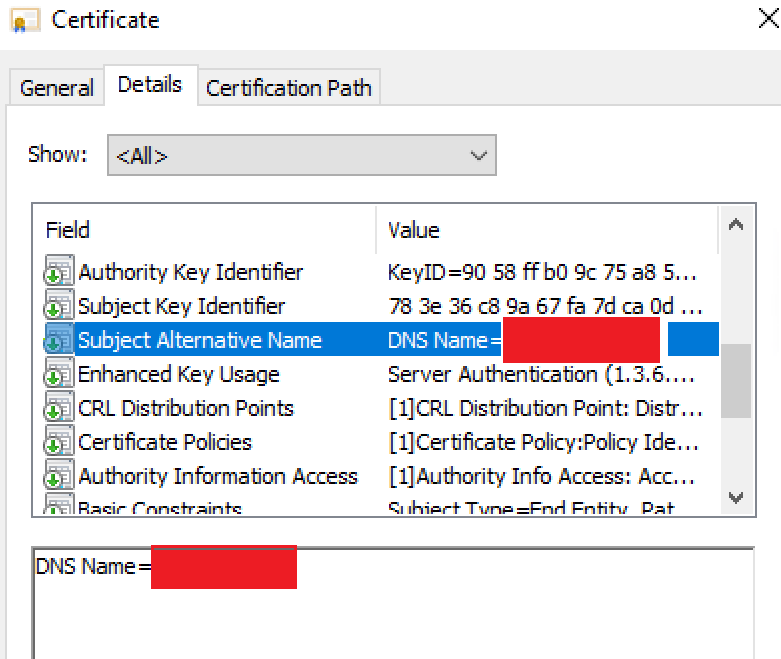
As per AD FS requirements, the Certificate contains the federation service name, such as “fs.contoso.com” in the Subject or Subject Alternative Name (SAN). Reference: https://learn.microsoft.com/en-us/windows-server/identity/ad-fs/overview/ad-fs-requirements#ssl-certificates
First, you should confirm if the federation name is covered by the SSL certificate, checking its Subject Alternative Name as below:
Checking if the WAP server is able to validate the certificate
If the SAN is correctly configured, we need to check if the WAP server is able to reach the URL for the Authority Info Access to confirm if this is a valid certificate and its revocations’ information.
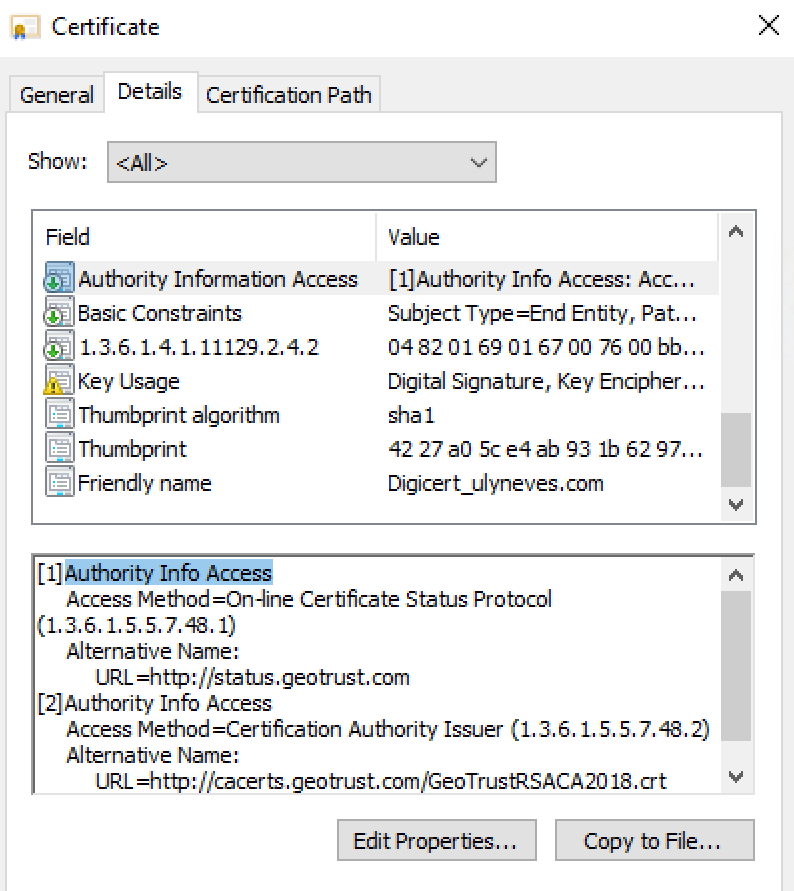
To test the connectivity to the service, let’s run the command below using PowerShell:
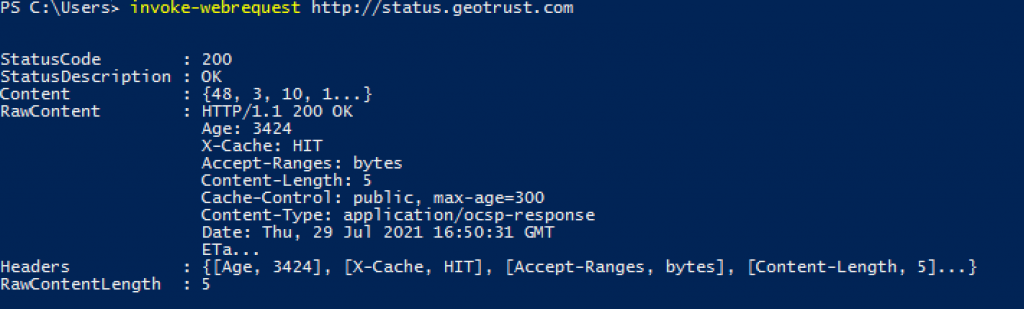
invoke-webrequest http://status.geotrust.com

Confirmed the lack of connectivity, work with your network team to authorize the WAP server to reach the URL.
After you fix the connectivity issue, run the same command above, and you might see the message below with status code 200, which is successful:
Fixing the WAP trust
Now, with the Web Application server able to validate the SSL certificate, we can establish the trust again running the command below:
$FScredential = Get-Credential
Install-WebApplicationProxy -FederationServiceName "FS01.Contoso.com" -FederationServiceTrustCredential $FScredential -CertificateThumbprint "SSL Certificate's thumbprint"
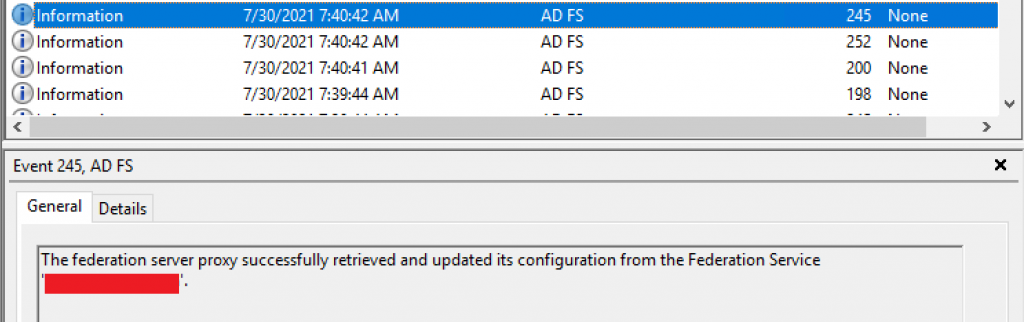
With the trust configuration succeeded, you might find on AD FS Admin logs event 245 to confirm the successful trust configuration as below:
Summary
In this article, we covered how to troubleshoot and fix the error message ‘The SSL certificate specified by thumbprint ‘SSL Thumbprint’ does not have a subject name that matches the specified’ during a WAP trust configuration.
I hope you have enjoyed reading this article, and it helps you to manage your AD FS environment.
Enjoyed the article? Like and share. 🙂
Note: I do not represent the organization I work for, all the opinions expressed here, are my own. This post is provided AS IS with no warranties or guarantees and confers no rights.
In case you have any suggestions or feedback, please leave a comment.
[ ]’s
Ulysses Neves
