
Hi everyone. Today, we’re going to explain how to investigate and fix the message ‘AdfsRaIsReady:UNKNOWN’ during Windows Hellos for Business Hybrid Certificate trust deployment. In case you are not familiar with this deployment model, please check this Microsoft document.
During WHfB deployments, there are some configurations that should be followed when configuring the PKI and if something is missing, the provisioning might not work.
In this article, we will reproduce one common message during WHfB Certificate Trust deployment and the client does not trigger the WHfB setup.
ERROR MESSAGE
Admins might find the message below on the Ngc Prerequisite Check after running ‘dsregcmd /status’ command on the client machine:
AdfsRaIsReady: UNKNOWN
LogonCertTemplateReady: NO (StateNoEnrollAccess)
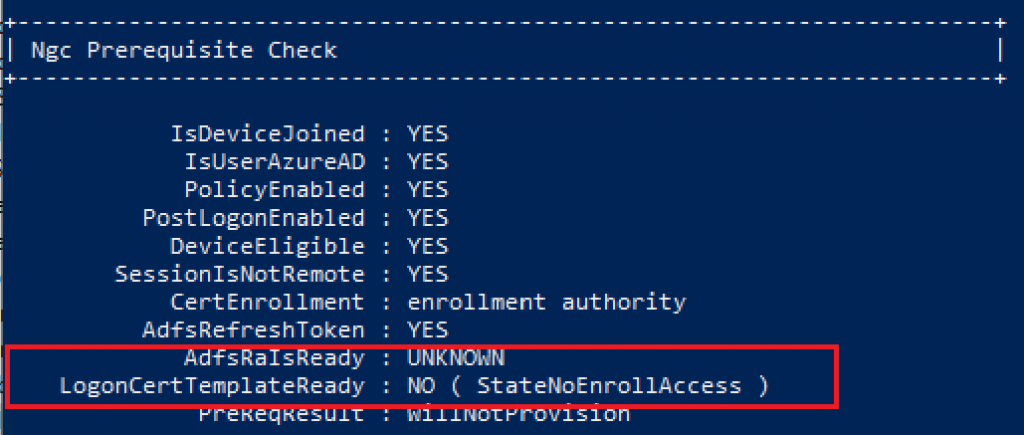
As per Microsoft documentation, both AdfsRaIsReady and LogonCertTemplateReady are verifications done when Windows Hello for Business Certificate Trust model is configured. Please check more information on these parameters below:
- AdfsRaIsReady: This setting is specific to WHFB Certificate Trust deployment and present only if the CertEnrollment state is enrollment authority. Set the state to YES if AD FS indicates in discovery metadata that it supports WHFB and the logon certificate template is available.
- LogonCertTemplateReady: This setting is specific to WHFB Certificate Trust deployment and present only if the CertEnrollment state is enrollment authority. Set the state to YES if the state of the login certificate template is valid and helps troubleshoot the AD FS Registration Authority (RA).
INVESTIGATING THE ISSUE
The first investigation that should be done during a WHfB failed provisioning is to check if all requirements are in place as required in this official Microsoft document.
If you confirm that all requirements are in place, a few tools can give you a hint about the missing requirements to have WHfB enrollment trigger:
Event viewer:
- Microsoft»Windows»User Device Registration»Admin
- Microsoft»Windows»HelloforBusiness»Operational
Obs: In the User Device Registration event logs, refer to event ID 362 as ‘Windows Hello for Business provisioning will not be launched’ and event ID 358 as ‘Windows Hello for Business provisioning will be launched’.
Command Prompt:
- dsregcmd /status » Ngc Prerequisites Check
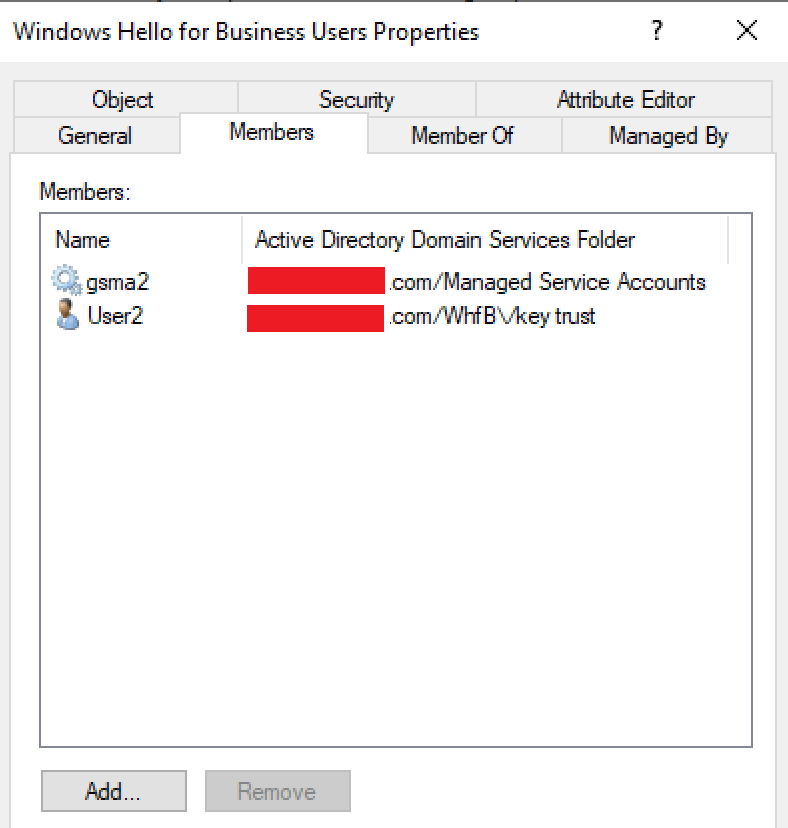
As per Microsoft’s recommendation, a security group should be used to roll out WHfB in the company. That helps with the permissions configured in the certificate templates and filtering the group policy, which enables the WHfB for the users.
During our investigation, I could confirm that the security group Windows Hello for Business Users has proper permission on the certificate template WHFB Authentication.
The required permissions in the WHfB Authentication certificate template for the WHfB user’s security group are ‘Read, Enroll, and Autoenroll‘.
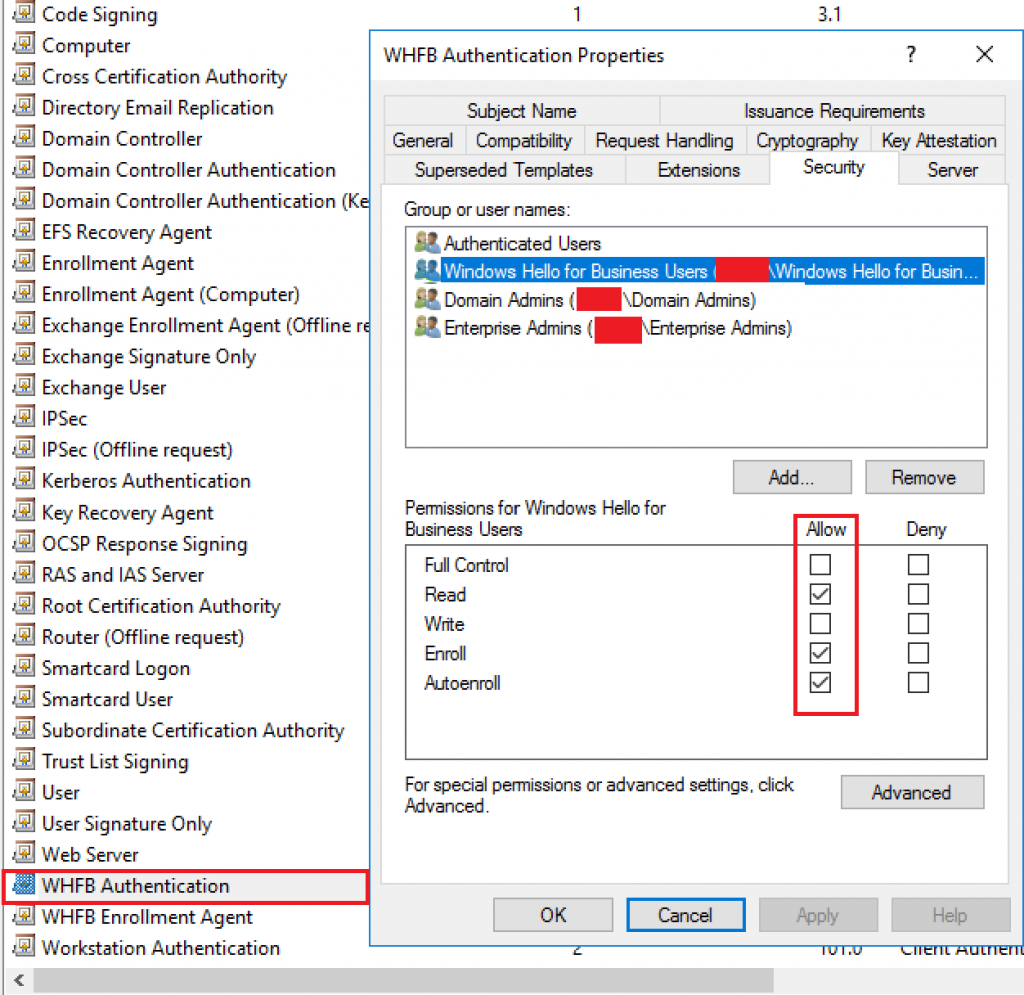
With the permissions configured correctly, let’s check if the user belongs to the Windows Hello for Business security group created following the steps in the WHfB deployment documentation. In our case, user1 does not belong to the security group, therefore, does not have permission to enroll the WHfB Authentication certificate.
FIX
To fix this permission issue, let’s add User1 to the security group Windows Hello for Business Users.
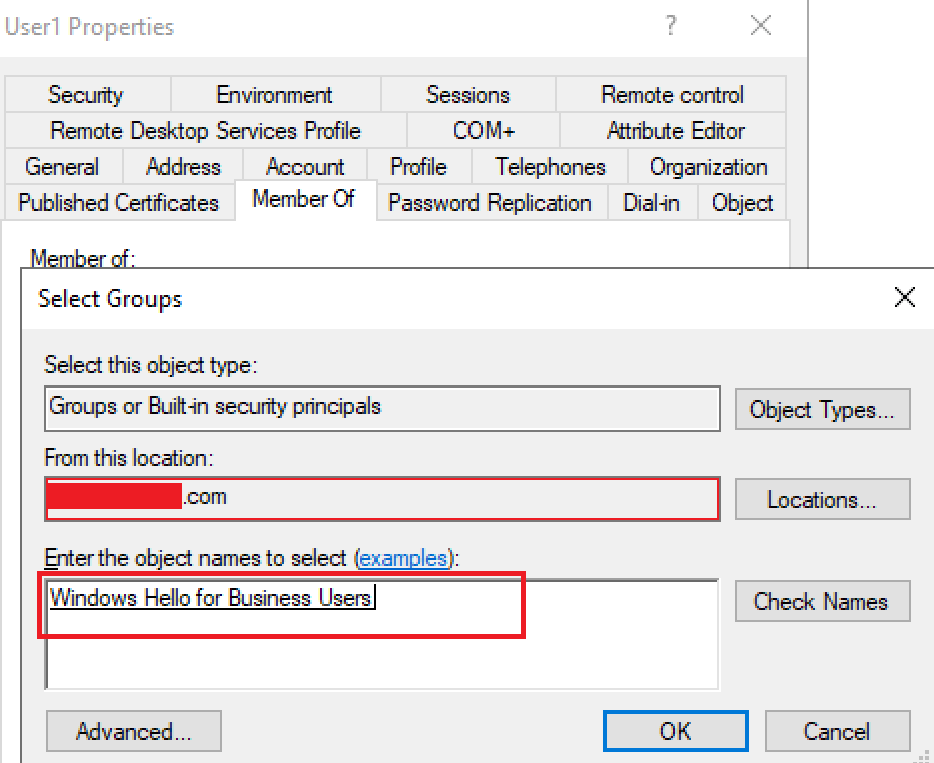
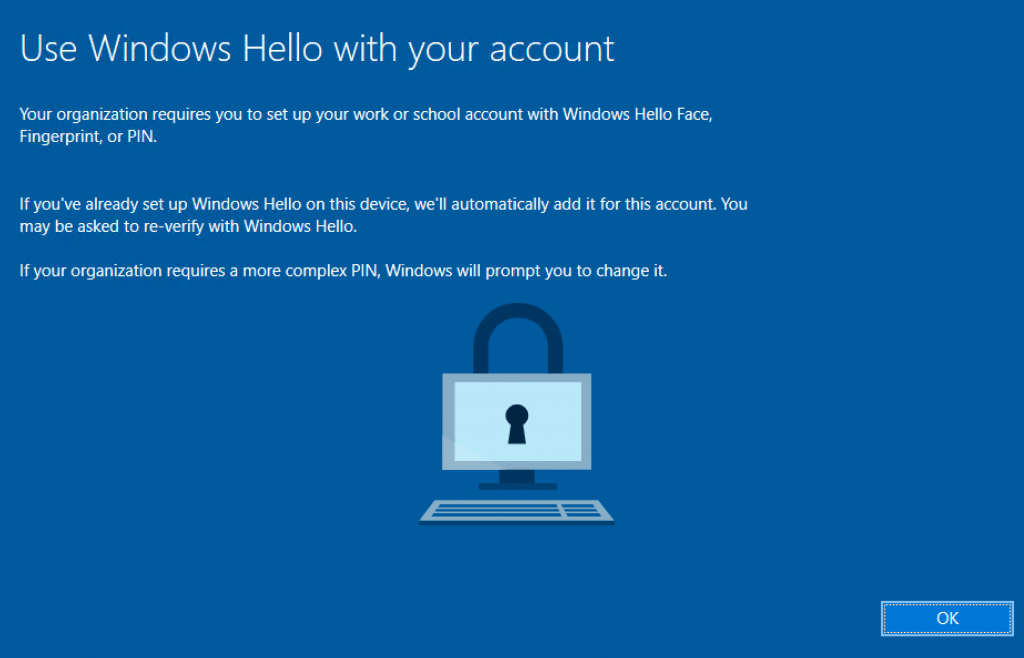
After the DCs have replicated the group membership change, the user is now prompted for WHfB setup.
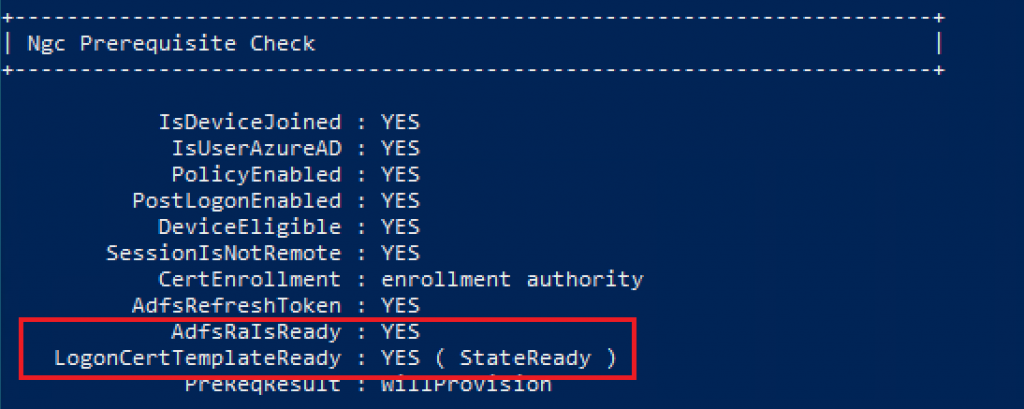
To confirm the parameters AdfsRaIsReady and LogonCertTemplateReady have changed in the Ngc Prerequisite Check, I canceled the PIN setup and ran command dsregcmd /status in the affected client. Now we can see the status has changed to:
AdfsRaIsReady : YES
LogonCertTemplateReady : StateReady
That means the user now has all requirements in place and PreReqResult changed from WillNotProvision to WillProvision.
Checking the CA, we can see the WHfB Authentication certificate issued to User1 successfully.

In the client, we can confirm the Smart Card Logon certificate generated by template ‘WHFB Authentication’ is present in the user’s personal store.

Summary
In this article, we covered how to investigate and fix the message ‘AdfsRaIsReady:UNKNOWN’ during Windows Hello for Business Hybrid Certificate trust deployment.
I hope you have enjoyed reading this article, and it helps you manage your Windows Hello for Business environment.
Enjoyed the article? Like and share. 🙂
Note: I do not represent the organization I work for, all the opinions expressed here, are my own. This post is provided AS IS with no warranties or guarantees and confers no rights. Always validate the solution in a test environment before deploying it into production.
In case you have any suggestion or feedback, please leave a comment.
[ ]’s
Ulysses Neves
