Hello everyone. Today we’re going to investigate the message ‘That option is temporarily unavailable. For now, please use a different method to sign in’ when a user tries to use a recent setup PIN on Windows hello for business Hybrid deployments.
BEHAVIOR
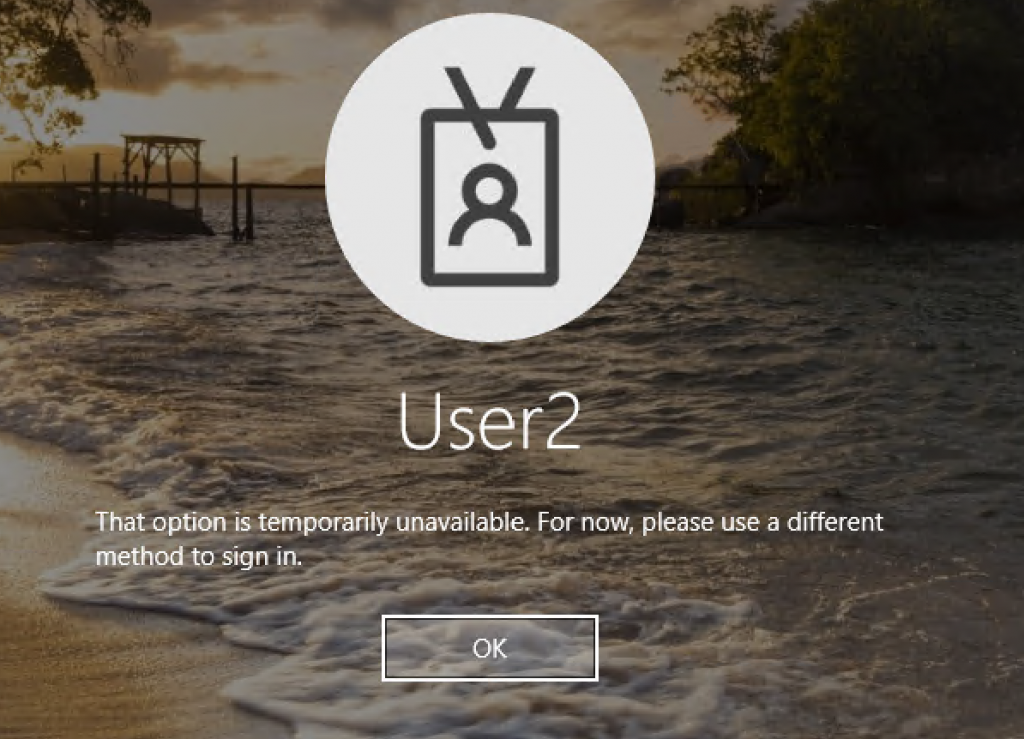
On a WHfB Hybrid deployment, after users setup the PIN, they receive the message below when trying to immediately sign in with PIN:
REASON/FIX
As per this public Microsoft document, during WHFB provisioning, during WhfB provisioning process, after the user setups the PIN, Azure DRS locates the user’s object in Azure Active Directory and writes the key information to a multi-values attribute. On a Hybrid deployment, AAD Connect is responsible for writing it to the user’s msDS-KeyCredentialLink attribute in Active Directory.
To reproduce the behavior, we have setup the WHfB policy on a Hybrid Certificate Trust deployment and will setup below a PIN for user ‘User2’:
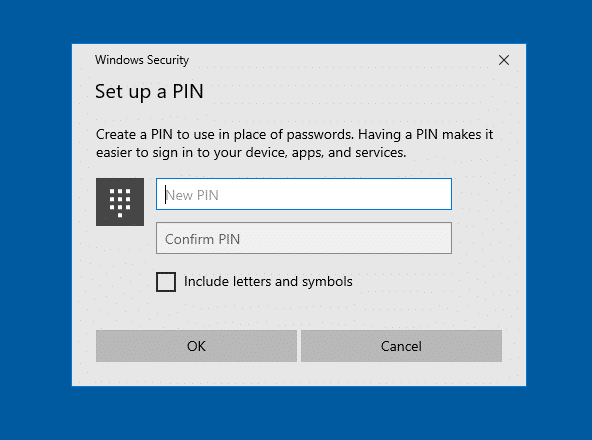
After PIN setup, we can finish the process, selecting OK on the screen below:

After the PIN setup, we try to immediately sign in using PIN and get the message ‘That option is temporarily unavailable. For now, please use a different method to sign in’.
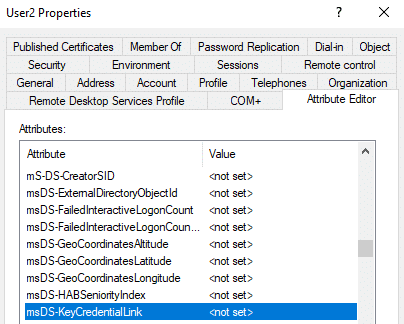
Checking the user’s attributes in Active Directory, we can see that no information is populated for attribute msDS-KeyCredentialLink in ‘User2’ properties.
SYNC RULE IN DETAILS
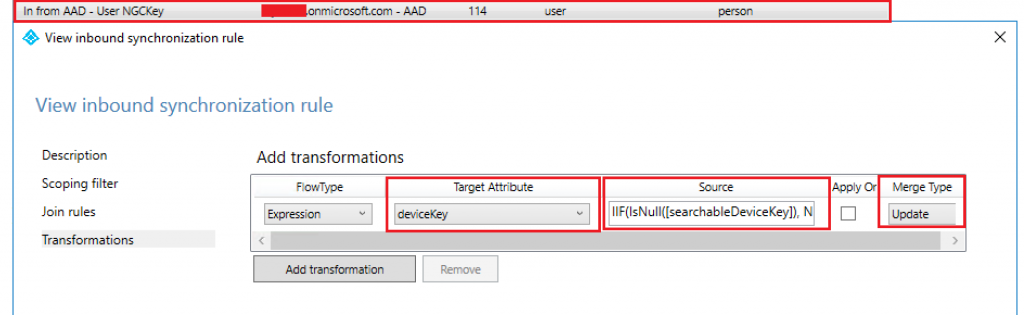
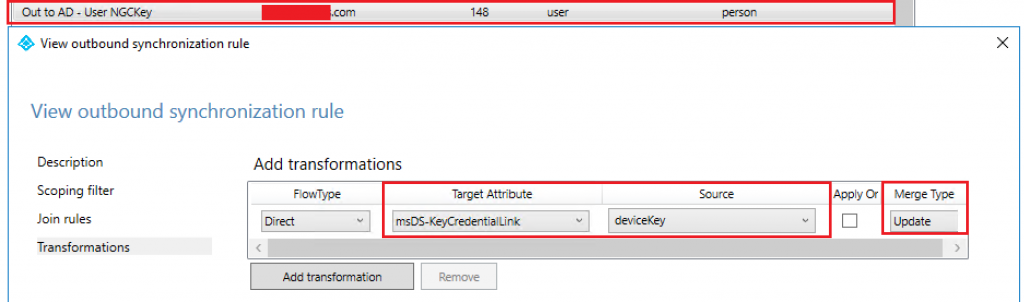
The rule which updates the attribute ‘device key’ with the value of attribute ‘searchableDeviceKey‘ created in Azure AD during WHfB provisioning to OnPrem Active Directory attribute ‘msDS-KeyCredentialLink’ for the user who has setup the PIN is called ‘In from AAD – User NGCKey’ and ‘Out to AD – User NGCKey’ as we can see below using AAD Connect rule’s editor:
In from AAD – User NGCKey
In the screen below, we can see the inbound rule used to transform the searchableDeviceKey into deviceKey attribute:
Out to AD – User NGCKey
With the rule below, we see the Azure AD deviceKey attribute being updated and synced back to OnPrem AD into the user’s attribute ‘msDS-KeyCredentialLink’:
So, confirming that after the user has setup the PIN, NO SYNC has run in the AAD Connect yet. By default, the minimum AAD Connect SYNC interval is 30 minutes. This behavior is well documented in this Microsoft’s public document.
To force the msDS-KeyCredentialLink attribute update in the Active Directory, you can run a delta sync on the AAD Connect with PS command below:
Start-ADSyncSyncCycle -PolicyType Delta

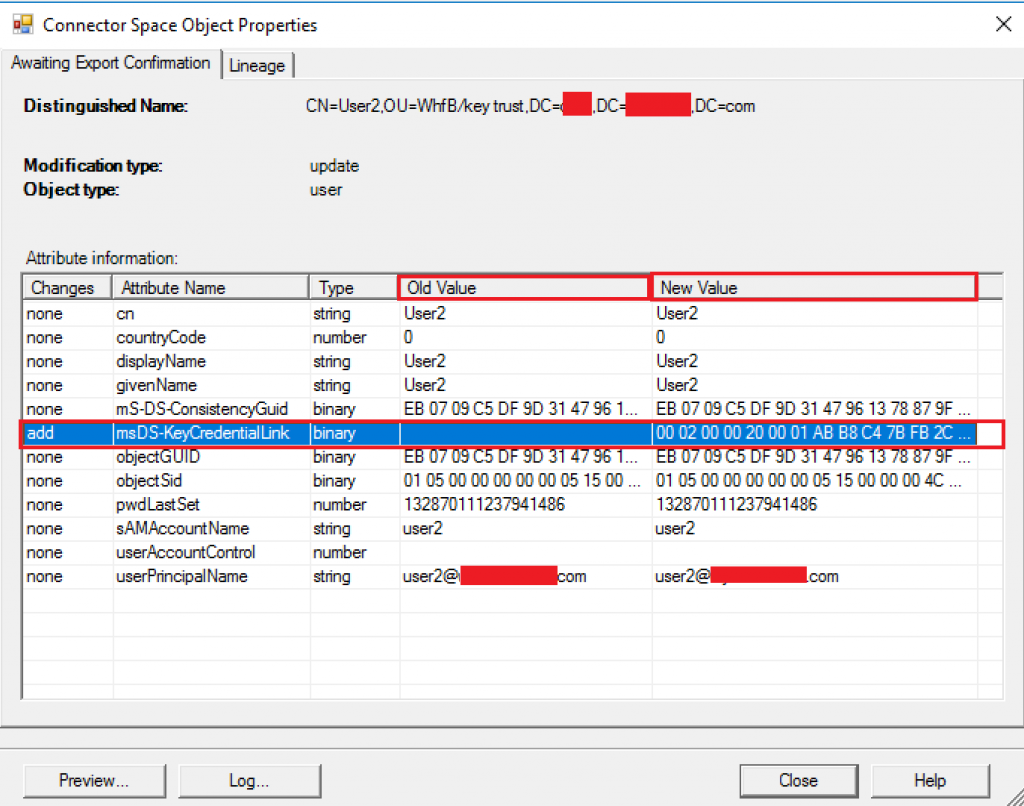
After the delta sync has been completed, we can see confirm the attribute ‘msDS-KeyCredentialLink’ has been populated in the local Active Directory for the users who have enrolled Windows Hello for Business:
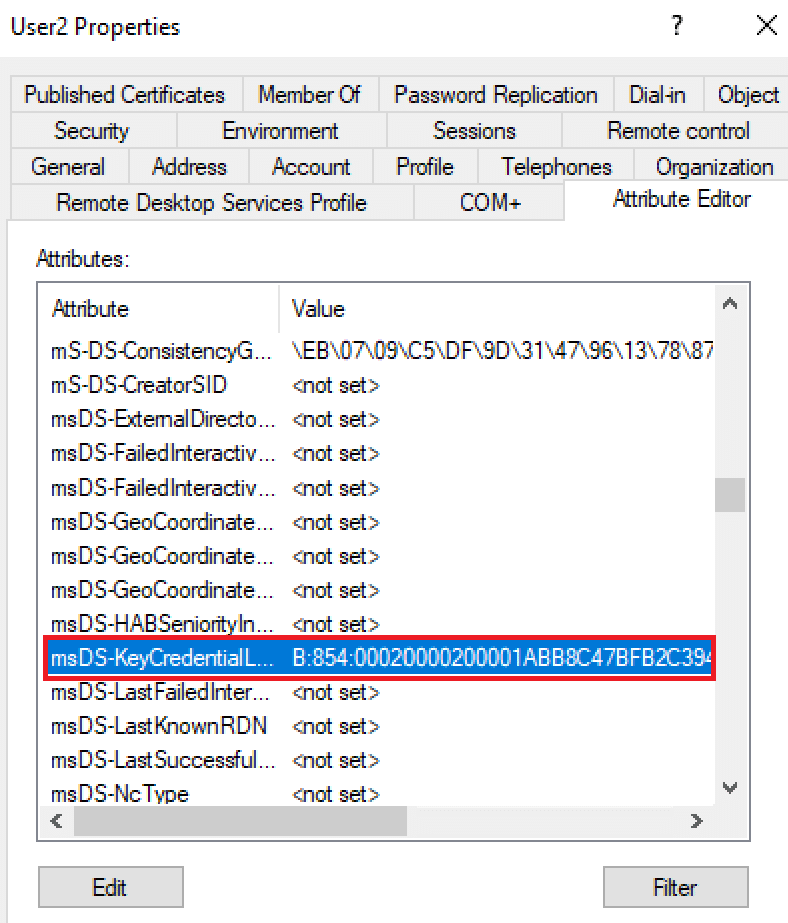
Now looking into local AD, we can confirm the attribute ‘msDS-KeyCredentialLink’ is populated for ‘User2’ and this is sufficient to have the user sign in using the recent configured PIN.
Summary
In this article, we covered how to investigate the message ‘That option is temporarily unavailable. For now, please use a different method to sign in’ on a Hybrid WHfB deployment.
I hope you have enjoyed reading this article and it helps you manage your WHfB environment.
Enjoyed the article? Like and share. 🙂
Note: I do not represent the organization I work for, all the opinions expressed here, are my own. This post is provided AS IS with no warranties or guarantees and confers no rights.
In case you have any suggestions or feedback, please leave a comment.
[ ]’s
Ulysses Neves

I also get the error “That option is temporarily unavailable. For now, please use a different method to sign in” however in AD the msDS-KeyCredentialLink attribute is populated with a value, so not sure where I go from here?
Hello Daniel. Thanks for providing your feedback on this. If you confirmed the msDS-KeyCredentialLink is properly being synchronized, it will depend on the WHfB deployment type you have. I would recommend checking the deep dive WHfB authentication flow to confirm the next step on the authentication for your scenario. https://learn.microsoft.com/en-us/windows/security/identity-protection/hello-for-business/hello-how-it-works-provisioning